워크플로
이벤트 위에서 달리는 자동화: 모든 워크플로는 트리거와 단계이며, 초안은 그 자리에서 편집되고 게시된 버전만 트래픽을 받습니다. 실행 탭은 각 실행을 상태와 이유와 함께 보여줍니다. 실패는 오류를, 대기는 기다리는 신호를 밝힙니다.
The library
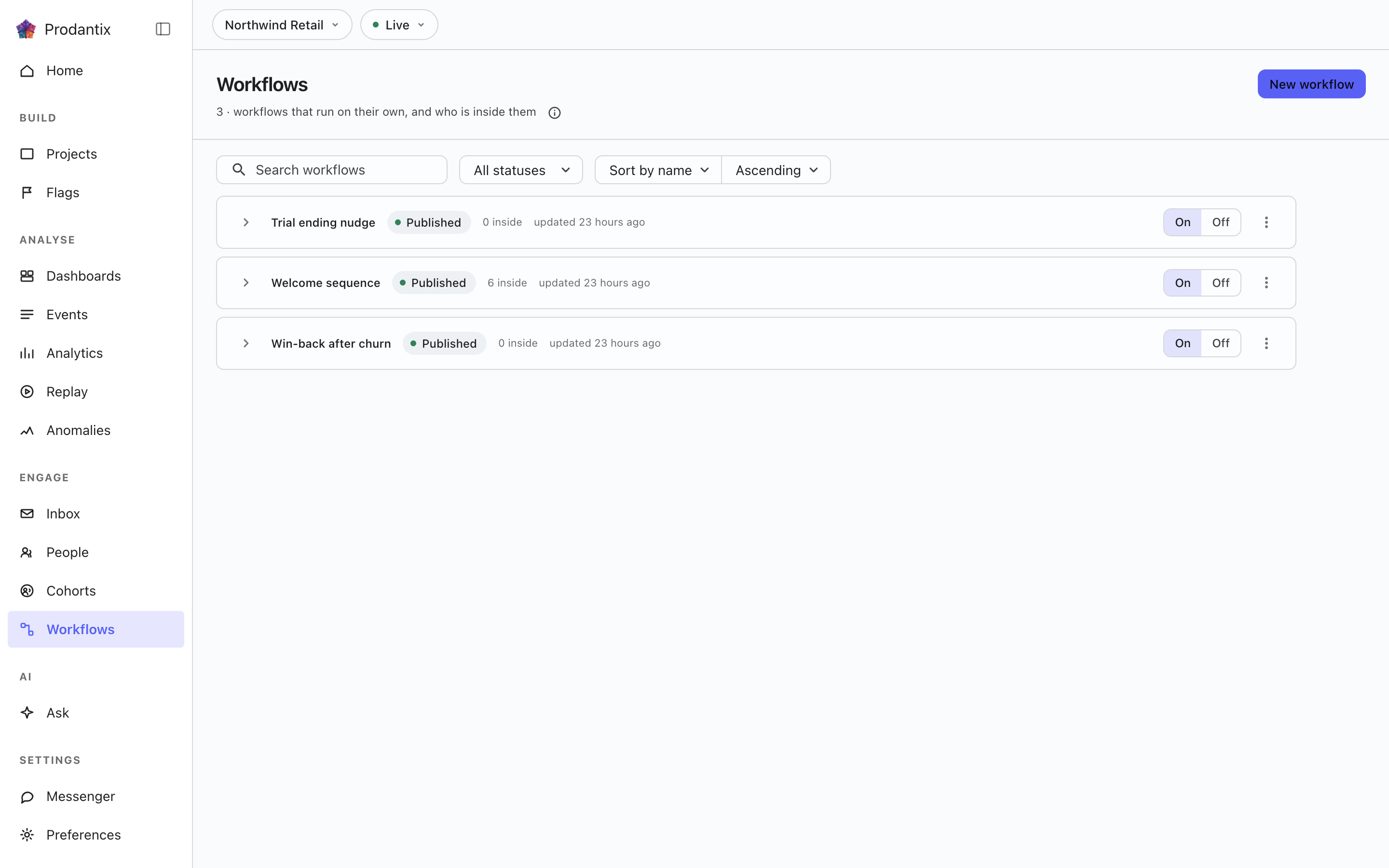
Each card is one workflow: its name, its enabled switch, how many runs are inside it right now and when it last changed. The switch stops a workflow taking new runs without touching its definition. Last-run and runs-today numbers come from an aggregate over all runs, not from the visible page, and a workflow whose numbers have not loaded shows a dash rather than a zero, because zero is a claim that nothing ran.
The steps editor
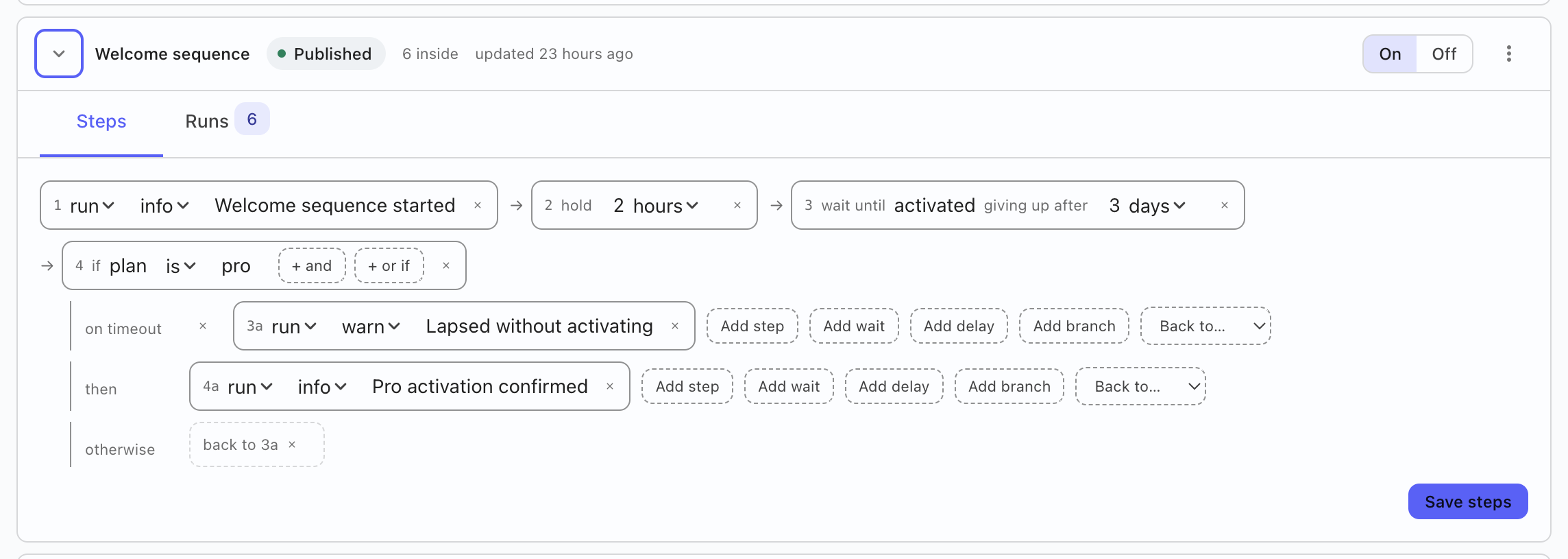
Opening a card unfolds a two-tab fold: Steps and Runs. The steps editor writes the workflow as sentences: the trigger (fired by hand or by a cohort signal), then each step in order, actions with their kind and settings, delays, branches with their cases and an otherwise, jumps that loop back with a guard against looping forever. Edits land in a draft that saves as you work; Publish is the separate, deliberate act that puts a version in front of traffic, and its dialog shows what the published version will replace and names its refusal when the engine rejects a graph rather than failing silently. Problems the draft already has are listed on the card before publish is even offered.
The runs tab
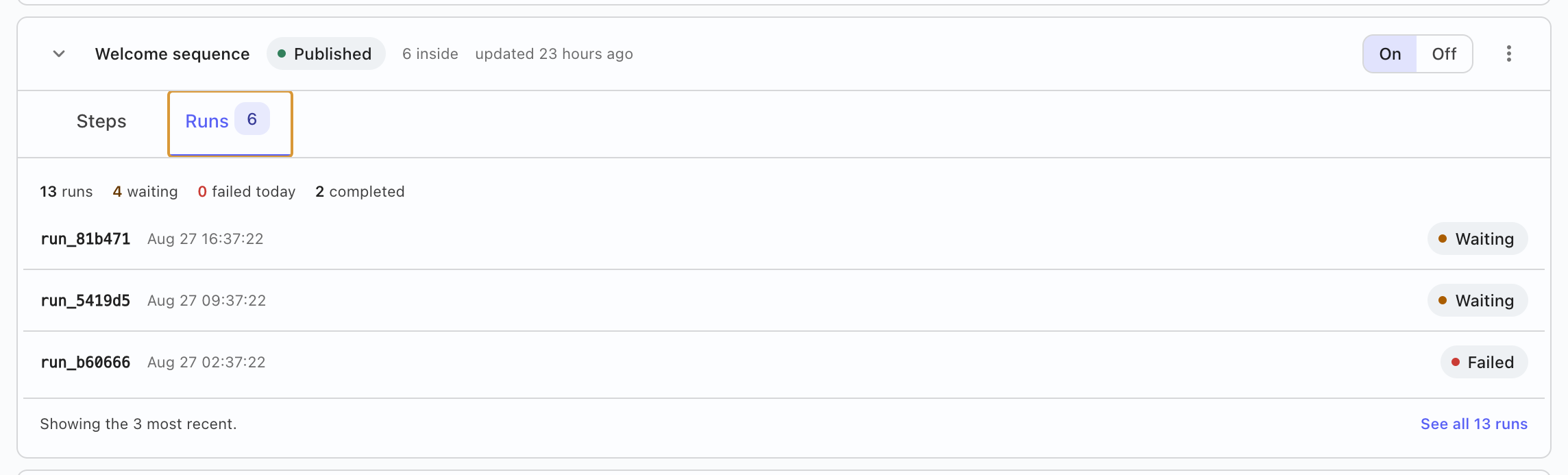
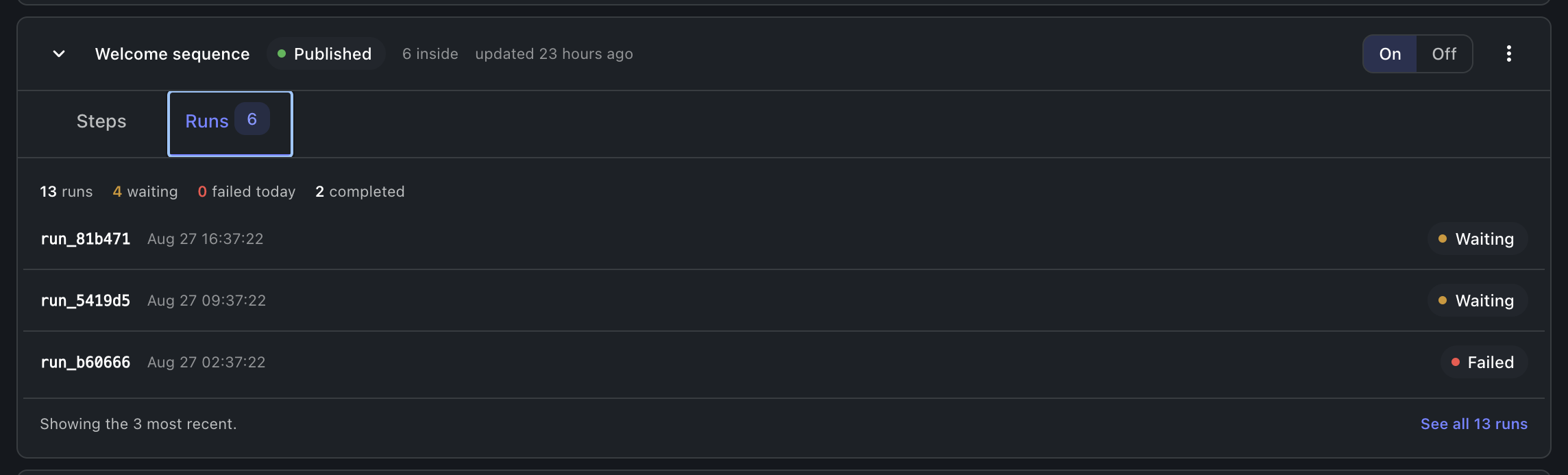
Every run with its state: queued, running, waiting, completed, failed or cancelled. A waiting run names the signal it waits for and offers sending it; a failed run carries the error that stopped it, whichever shape the engine reported it in; opening a run steps through what each node did. Fire once starts a run by hand, and a run that should stop can be cancelled. Failed and waiting runs also surface on the Home screen's Needs you list, with the same actions.
행의 복사 대상…은 이 객체가 이미 선택된 상태로 구성 복사를 엽니다. 프로젝트, 구성 복사를 참고하세요.
Where this meets the API
The concept behind the screen is the Workflows pillar. On the wire: the library is workflowDefinitions with workflowDefinitionStats for the numbers; authoring is createWorkflowDefinition, updateWorkflowDefinition and publishWorkflowVersion; operation is setWorkflowEnabled, fireWorkflow, signalWorkflow and cancelWorkflow; runs read through workflowRuns and workflowRunSteps and update live on the workflowRunChanges subscription (GraphQL reference). Triggers gate on cohorts.