저장됨
워크벤치에서 남겨 둔 것이 사는 곳, 세 개의 탭입니다. 보드: 모든 보드는 저장된 타일의 모음이며, 각 타일은 열 때마다 자기 쿼리를 다시 실행하므로 숫자는 스냅숏이 아니라 살아 있습니다. 리포트: 하나의 보드에 사는 저장된 질문으로, 설명과 버전 기록을 지닙니다. 인사이트: 편집기와 차트까지 통째로 보관한 질문으로, 워크벤치에서 모든 것이 그대로인 채 다시 열립니다. 모든 탭이 이름으로 검색하고, 보드는 만들고, 이름을 바꾸고, 복제하고, 삭제할 수 있으며, 리포트는 이름을 바꾸고, 옮기고, 복제하고, Undo와 함께 삭제할 수 있고, 인사이트는 이름을 바꾸고, 보드에 고정하거나 삭제할 수 있습니다.
Boards
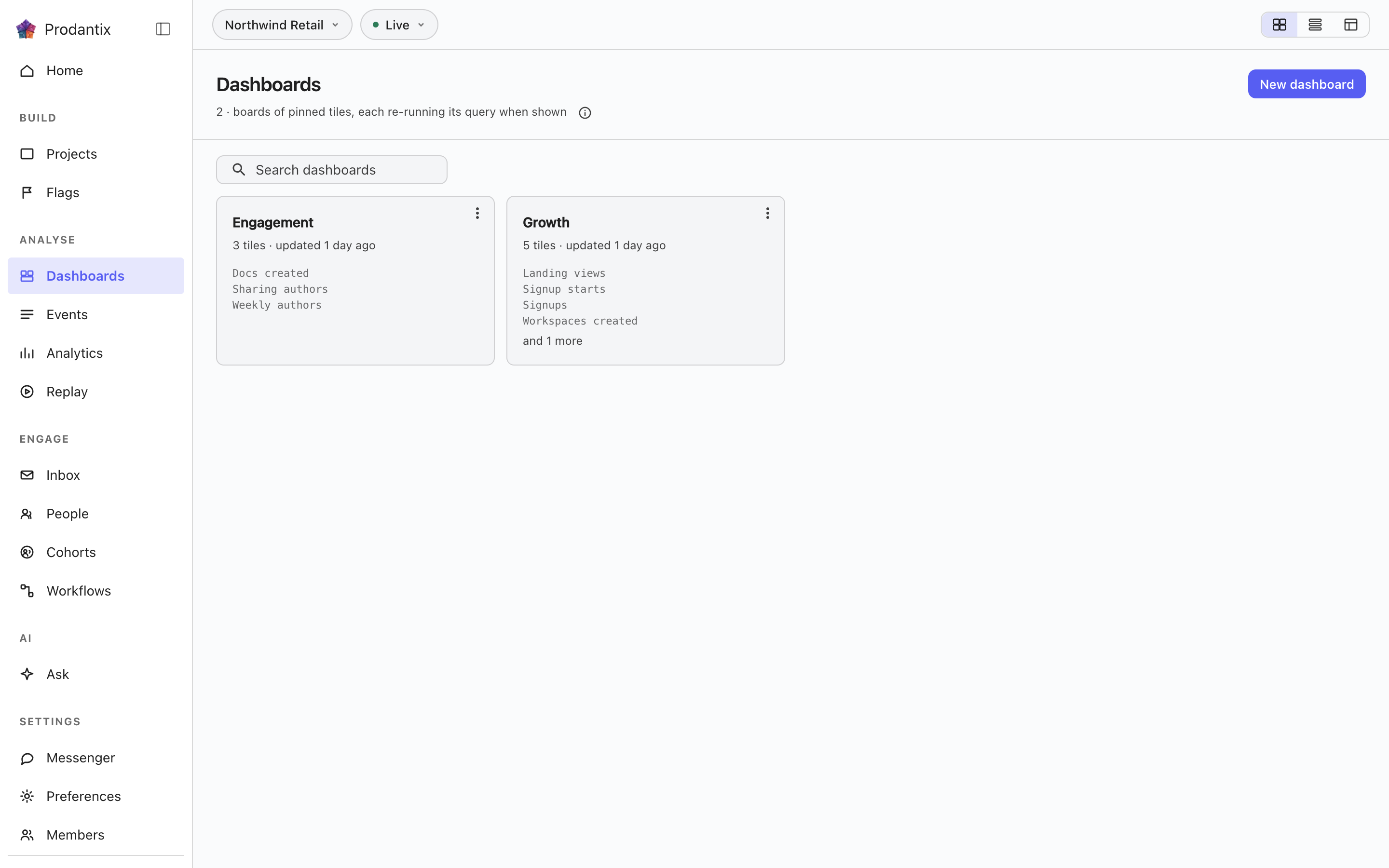
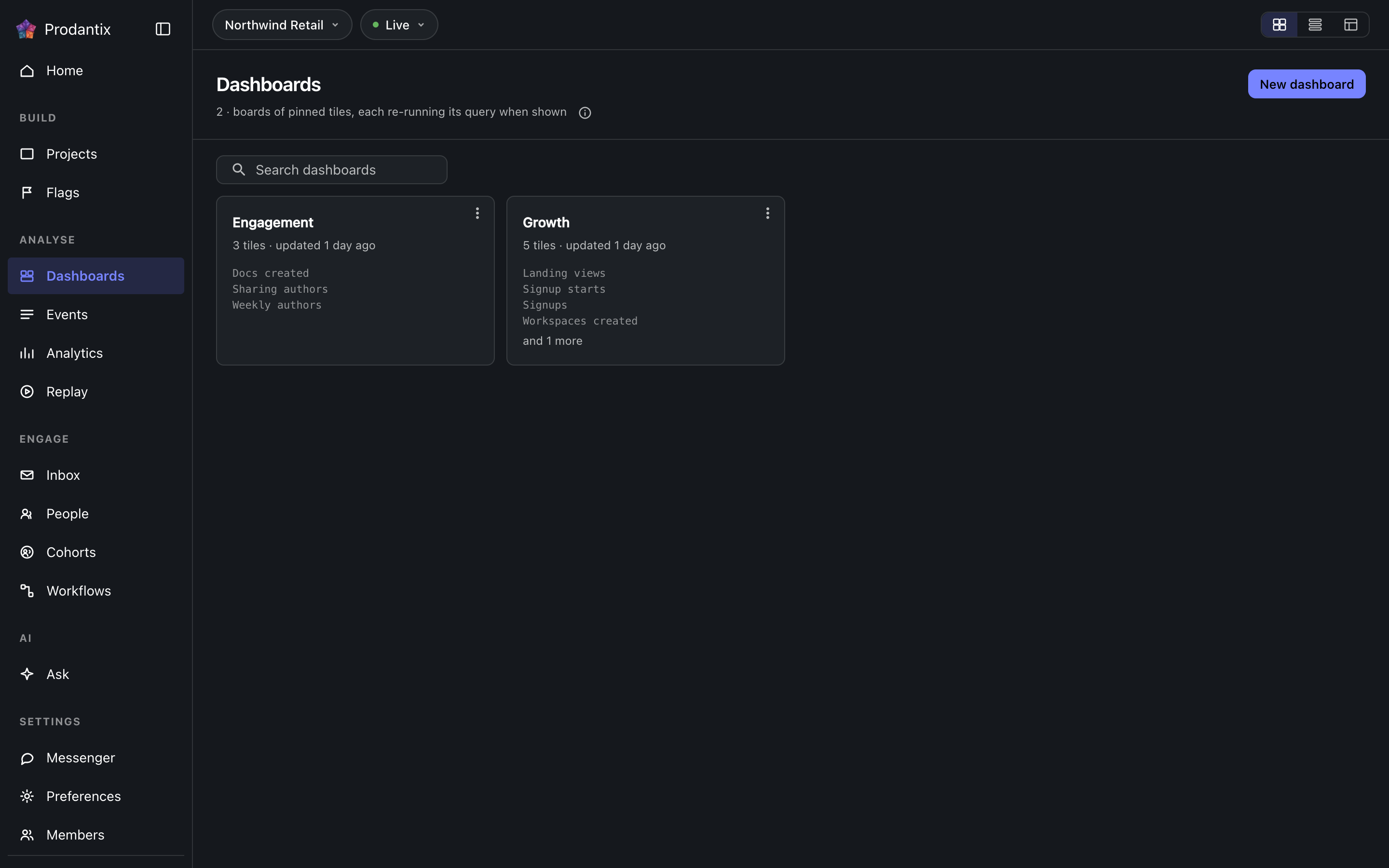
Every board in the project on the Boards tab, searchable by name, with the count in the page head describing the whole library rather than the narrowed view. New board names a board and opens it empty; a board's row menu renames, duplicates or deletes it, and deleting asks first because a board's tiles are the only copy of their saved questions. How the tab presents, as cards, rows or a table, is a stored preference per person, picked on the tab's own bar. Switching arrangements starts on the Growth plan; the Starter plan reads cards.
Reports
리포트는 하나의 보드에 사는 저장된 질문으로, 이름과 설명 아래 모든 변경이 버전으로 보관됩니다. 워크벤치의 Save 메뉴에서 Save as report로 두 단계에 걸쳐 저장합니다: 먼저 이름과 설명, 다음으로 리포트가 살 보드를 세 줄 높이의 검색되는 목록에서 고르며, 그 아래에 New board가 있습니다. Reports 탭은 프로젝트의 모든 리포트를 카드로 나열합니다: 이름은 워크벤치에서 열고, 설명이 뒤따르며, 메타 줄은 어느 보드에 있는지, 버전, 마지막으로 업데이트된 때를 알려 줍니다. 검색은 이름과 설명에 일치합니다. 카드의 메뉴에서 열기, 이름 바꾸기, 다른 보드로 옮기기, 복제하기, 그리고 구분선 아래에서 삭제하기를 할 수 있습니다. 삭제는 먼저 묻고 버전도 함께 가져갑니다. 삭제나 이동은 즉시 반영되고 스낵바가 Undo와 함께 알리며, 그것이 유일한 되돌리는 길이고, 삭제된 리포트는 한 시간 뒤 완전히 지워집니다. 보드에서 리포트는 리포트와 버전으로 표시된 타일이며 기본 색조로 나타나고, Open report가 메뉴 맨 앞에 옵니다. 고정된 타일은 인사이트로 표시됩니다. 보드에서 리포트 타일을 제거하는 것은 리포트의 삭제이며, 같은 Undo가 따릅니다. 워크벤치 카드 아래의 버전 띠는 현재 버전, 누가 언제 저장했는지를 알려 줍니다. Show history는 모든 버전을 무엇이 바뀌었는지, 누가, 언제와 함께 세 항목씩 보이게 펼치고, 현재 버전을 제외한 각 항목 옆에 Restore가 있으며, 복원은 기록을 다시 쓰는 대신 선택한 버전을 복사한 새 버전을 씁니다.
A board and its tiles
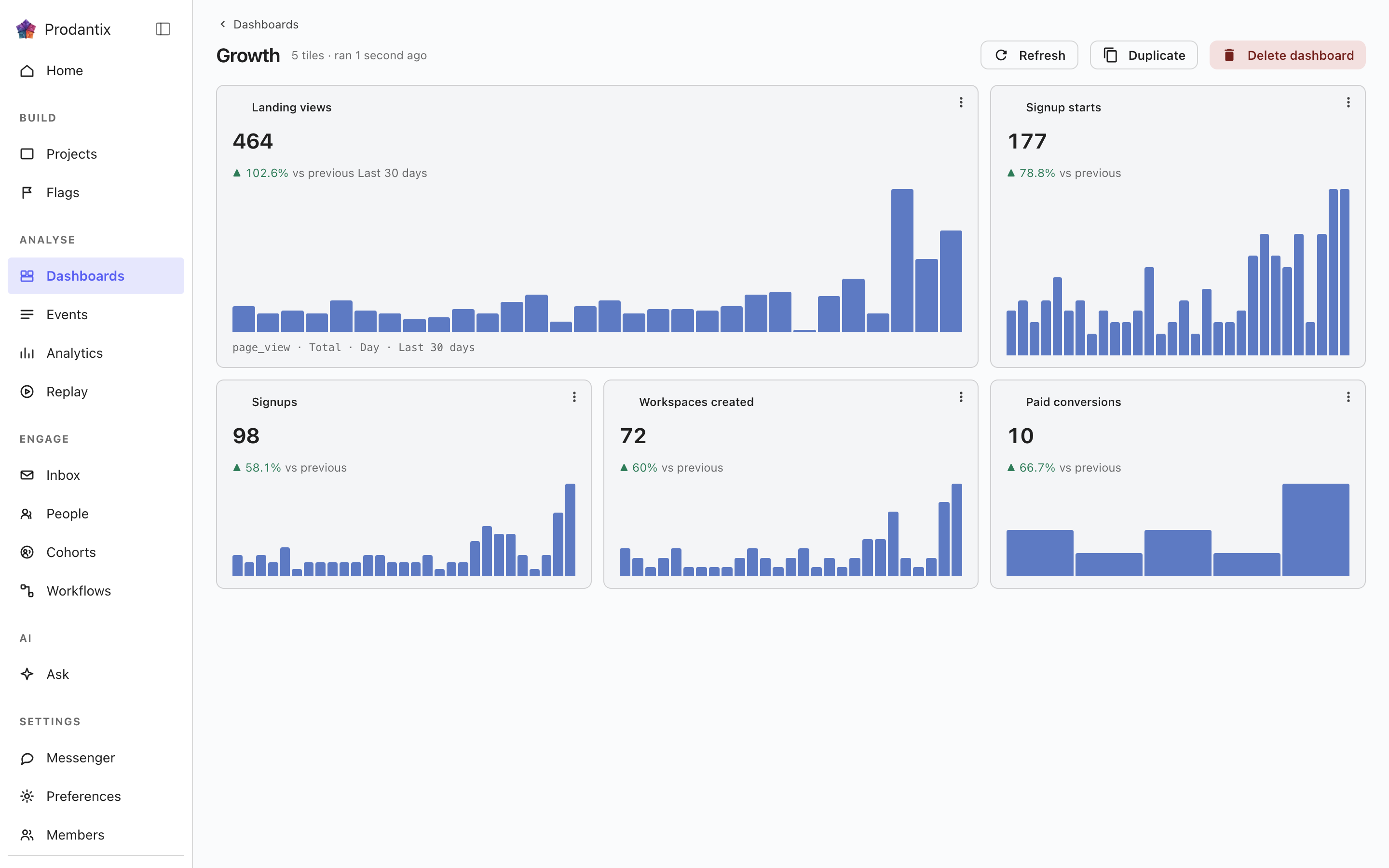
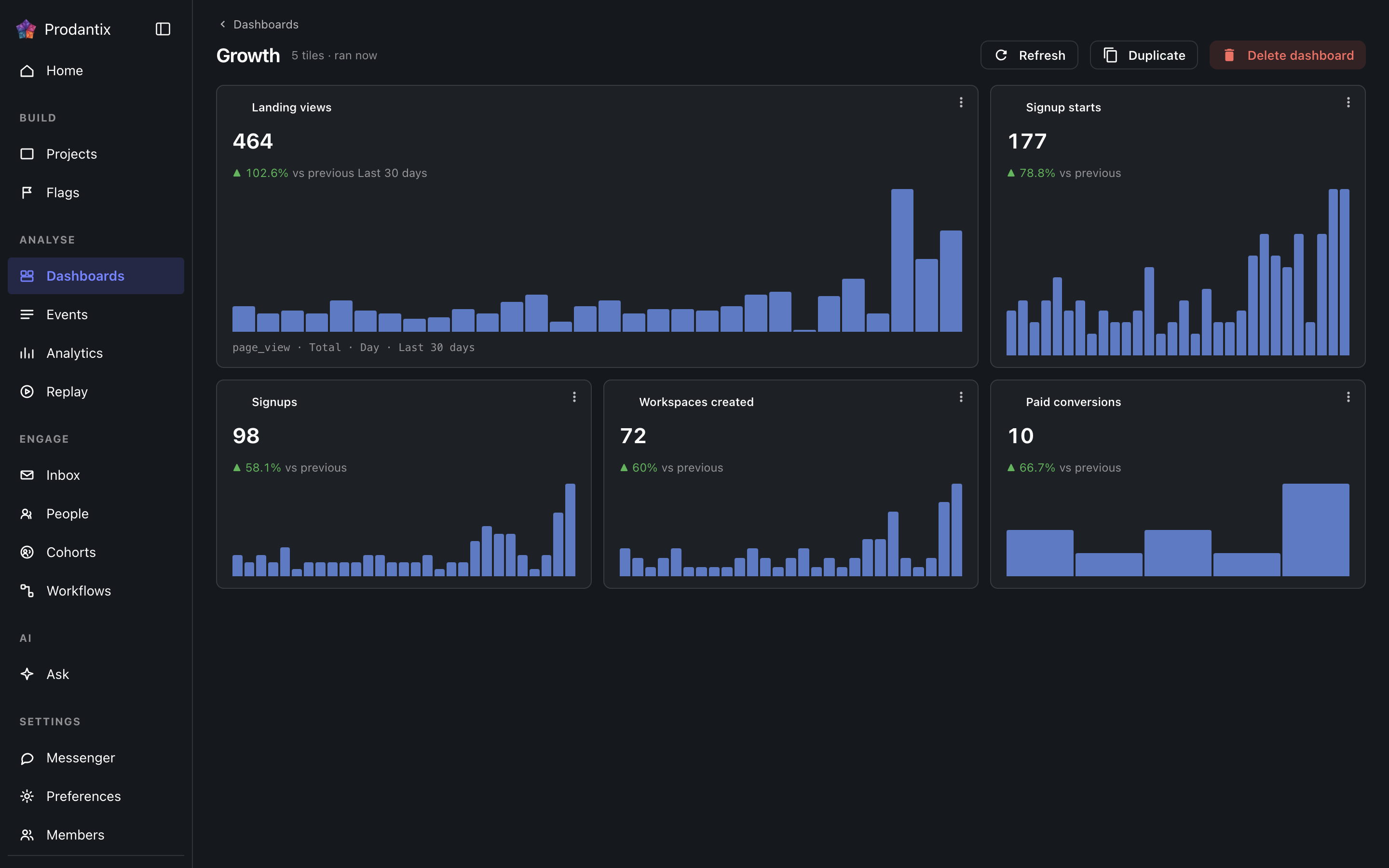
Each tile is one saved question: its title, the current total, a signed delta against the preceding window and a sparkline of the series. Tiles are added by asking a question in the Analytics workbench and pinning the result here; the pin dialog offers every existing board and a new one. A trend tile carries the whole query forward: every metric, any formula, its breakdowns and its compared period, so a re-run always answers exactly what was pinned. A tile that fails to load says so on the tile, with its own retry, rather than poisoning the board; Refresh re-runs every tile at once, and a tile's menu renames it, switches it between standard and wide widths, moves it along the grid, or removes it.
Insights
인사이트는 통째로 보관된 질문입니다: 구성했을 때의 편집기, 분석 유형, 읽었을 때의 차트 유형을 이름 아래 보관합니다. 워크벤치의 Save 메뉴에서 As an insight로 저장하고, 여기서 또는 워크벤치가 ?insight=로 지니는 주소에서 다시 열면 편집기와 차트가 복원됩니다. 카드는 분석 유형을 칩으로 나타내고, 질문을 차트 유형과 함께 말로 적으며, 마지막으로 저장된 때를 알려 줍니다. 메뉴에서 열기, 이름 바꾸기, 그 이름의 타일로 보드에 고정하기, 삭제하기를 할 수 있습니다. 삭제는 먼저 묻고, 이를 타일로 담고 있던 보드는 타일을 그대로 유지합니다. 타일은 쿼리의 자체 사본이기 때문입니다. 검색은 이름과 말에 일치합니다. 감시가 있는 인사이트는 이름 뒤에 감시 중 칩을 달며, 경계를 넘는 동안 경고 색조를 띱니다.
행의 복사 대상…은 이 객체가 이미 선택된 상태로 구성 복사를 엽니다. 프로젝트, 구성 복사를 참고하세요.
Where this meets the API
The concept behind the three tabs is the Analytics pillar. On the wire: the Boards tab is the dashboards query, the Reports tab is reports and the Insights tab is insights; boards change through createDashboard, updateDashboard and deleteDashboard (pinning a tile is an updateDashboard carrying the new tile), insights through createInsight, updateInsight and deleteInsight. A report is saved through createReport, read alone through report, changed through updateReport, renameReport, describeReport and moveReport, copied through duplicateReport, deleted through deleteReport and brought back through restoreReport; its history is reportVersions and Restore is restoreReportVersion, which writes a new version copying the chosen one. A report's public link is read through reportPublicLink, turned on or given a new stop day through setReportPublicLink and turned off through turnOffReportPublicLink, and reportShareChanges streams each change; shareReport sends it to teammates, with a note, by email and push. People talk about a report in threads, on the whole report or on one point of it: reportCommentThreads reads them, each with its first comment and latest two replies, reportCommentEarlierReplies reads the replies before those twenty at a time, startReportCommentThread starts one, replyToReportCommentThread answers it, resolveReportCommentThread and reopenReportCommentThread close and open it again, an author changes their own words through editReportComment and deleteReportComment, reactions come and go through addReportCommentReaction and removeReportCommentReaction, and reportCommentChanges streams each change. A report's tile carries only its reportId, and the board read fills the tile from the report, so every tile renders by running its query through runQuery (GraphQL reference). A run that names its report through reportId refreshes that report's public link when the query it ran is the one saved.