ホーム
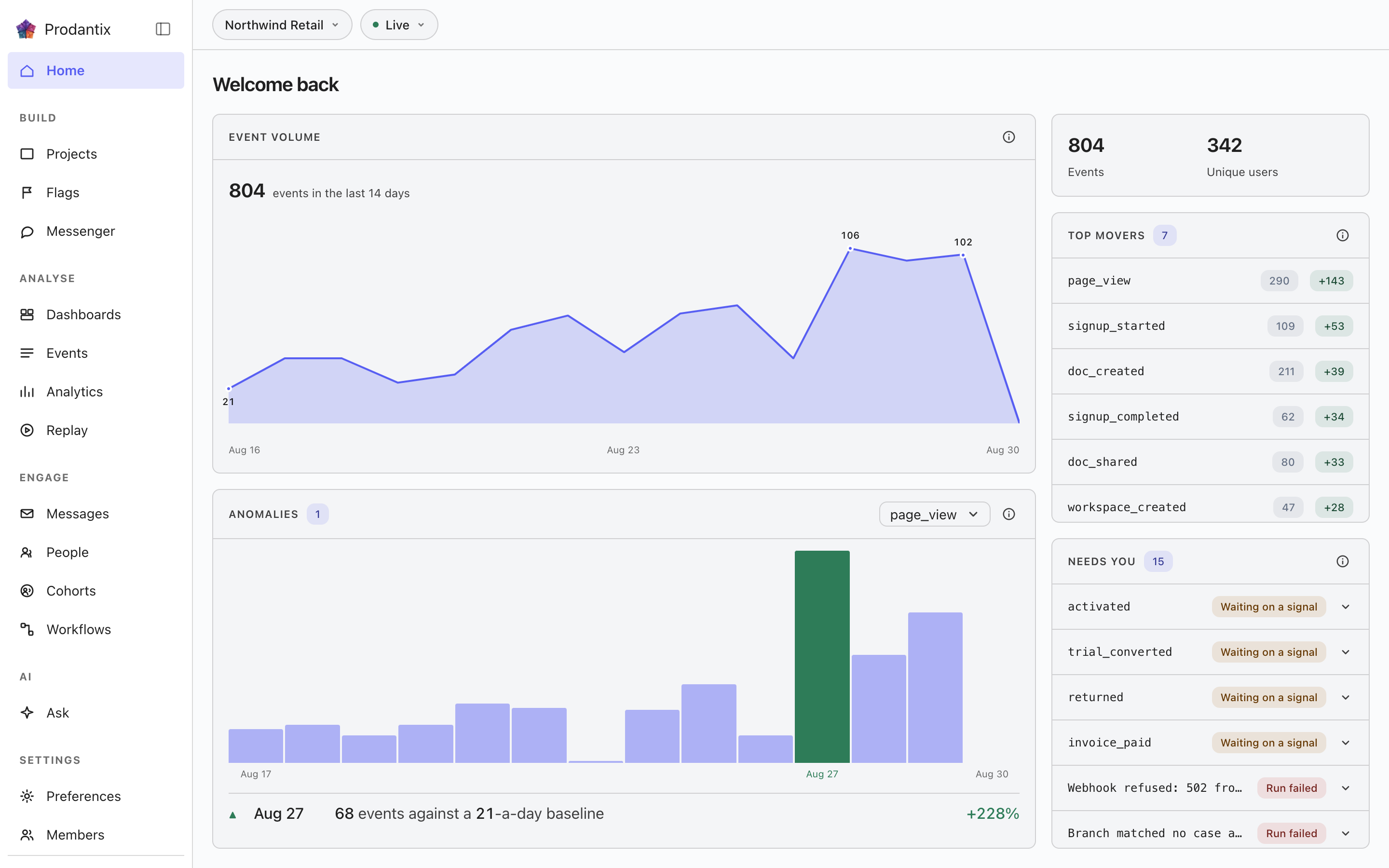
コンソールの玄関ページ、三つのタブです。Overview はどれだけ入ってきているか、何が動いたか、何が人を必要としているかを読み、すべての数字は直近十四日をその前の十四日と比べます。Reviews は二つ目の目を待つフラグの変更を保持します。Needs you は失敗した実行と待機中の実行を、注意が必要なフラグと並べて、一件ごとにカードで集め、サイドバーの Home 項目はこの二つのタブが抱えている数を数えます。
Three tabs
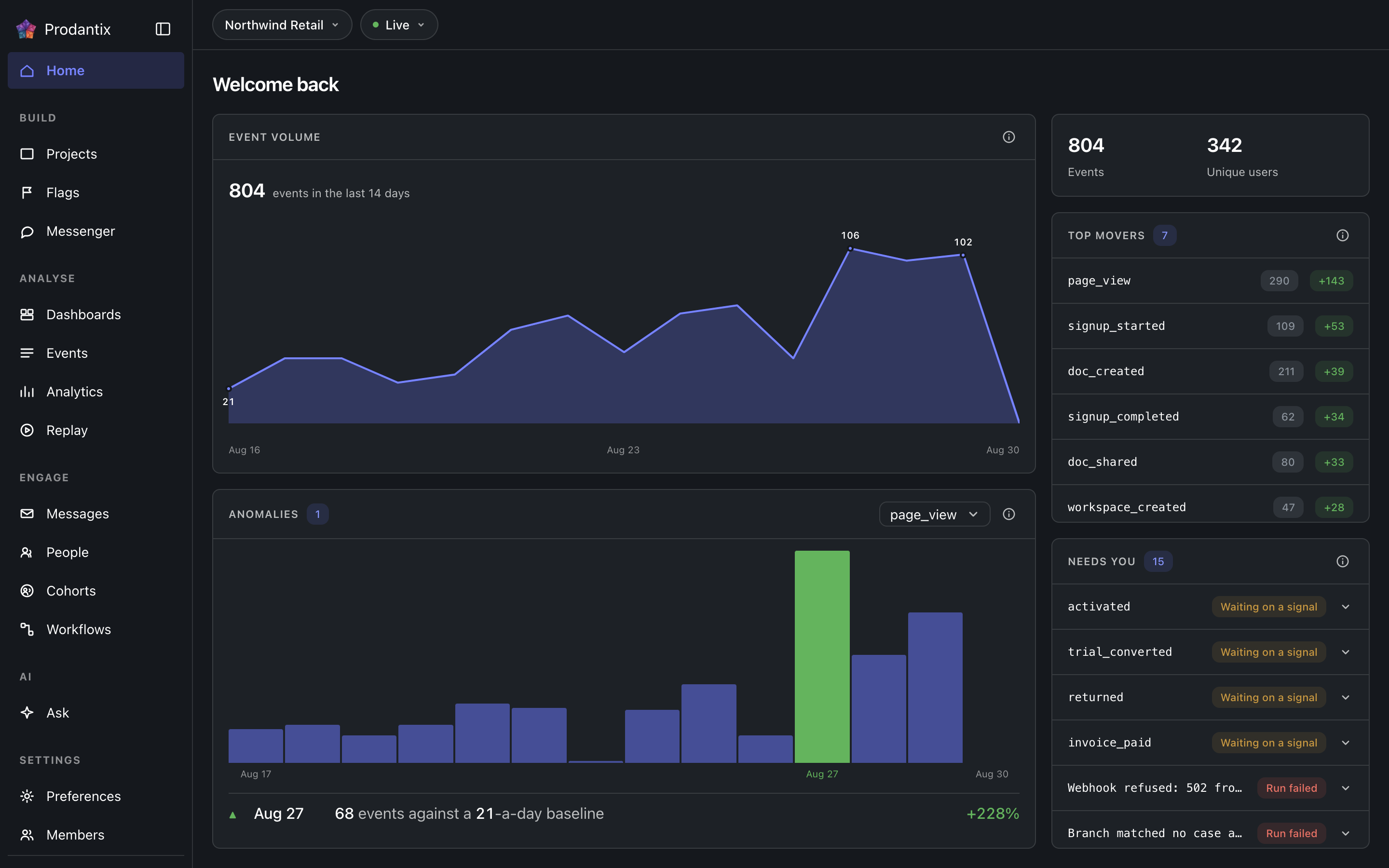
Overview は今日の玄関ページです: メトリクスの帯、Top movers、Event volume、Anomalies。Reviews はかつて独立したページだったレビューの受信箱で、プロジェクトのフラグ変更依頼を状態で絞り、検索でき、それぞれがグリッドの横に依頼を開きます。旧アドレス /reviews はここへ転送されます。Needs you は人が対応すべきものすべてを一件ごとのカードで並べます。タブの行は Reviews と Needs you に件数を持ち、サイドバーの Home 項目はその合計を持つため、ページを開く前にレールがどれだけ待っているかを伝えます。アドレスはタブを ?tab= として持つので、リンクは名指したタブに着きます。
The metrics band
Two totals for the last fourteen days: events received and the people they came from. A project with nothing in the window shows an explanation rather than zeros, and a failed load says it failed rather than reading as a quiet account.
Needs you
人が対応すべきものすべてを一件ごとにカードで: 失敗したワークフローの実行、シグナルを待つ実行、最近何にも評価されていないフラグ、意図が宣言する寿命を過ぎたフラグ。失敗した実行はエラーの色調をまとい、他の三つは欠陥ではなく読み手への呼びかけです。各カードは種類をチップで示し、事実を一行に並べ、自らの出口を持ちます: 名指す実行やフラグを開く、ワークフローを再度起動する、待機中の実行が期待するシグナルを送る、済んだフラグをアーカイブする。タブの件数はリスト全体なので、スクロールするリストでもどれだけ抱えているかが分かります。境界を超えた監視中のインサイトは五番目の種類、しきい値で、カードはインサイト、境界、そして日次の確認が読んだ値を示し、超えた帯とともにインサイトを開きます。
Top movers
The events whose counts moved most against the preceding window of equal length: the last fourteen days against the fourteen before them. Each row shows the current count and a signed delta, so a spike and a collapse are equally visible.
Event volume
Ingest volume across the window as a chart, with empty days drawn as empty rather than skipped: a project that went quiet for a week looks quiet, not compressed.
Anomalies
One event at a time, chosen in the panel's picker and opening on the project's busiest: a bar per day across the fourteen-day window, so the baseline is visible rather than asserted. A day whose count left that baseline is tinted and dated, and a row beneath marks it ▲ or ▼ and names the count against the baseline it left. A fortnight that held its line still draws the band and says so.
The account menu


Your avatar at the foot of the sidebar opens the account menu. Under your name and email, the first group is your companies: every prodantix company this sign-in belongs to, the name over your role in it (Owner, Admin, Billing or Member), with a check on the one the console is scoped to. Choose another and the row shows a spinner while the console asks your sign-in to scope to that company, then reloads: the re-drawn console is the confirmation, and there is no toast. A switch that failed says so under the row, with Retry. When your sign-in is too old to switch with, the row reads Your sign-in is out of date and offers Sign in again, which signs you in afresh and brings you back to the page you were on. One company held still draws its row with the check, so you can see which company scopes everything the menu names below it. The group offers no create and no manage row: you join an existing company by invitation (User management), never from here. On the wire the group is myCompanies (GraphQL reference); a switch is a session call that carries your own sign-in, so it is not part of the GraphQL API.
A sign-in whose token names no prodantix company, which happens when the Bomdisoft ID joined another product's company first, does not land in an empty console. The page body is replaced by one card, Choose a company, with the sidebar staying in place around it. The card lists the same rows as the menu with every gutter empty, since nothing is active yet, and nothing is chosen on your behalf: a member of one company still sees one row and picks it. Choosing scopes the sign-in to that company and reloads the console. A card whose list could not be read draws Retry where the rows would be.
A sign-in that belongs to no prodantix company at all meets Set up your company in the same place, with the sidebar faded around it and a note in the sidebar saying that projects, analytics and messages live in a company. When you own an organisation in another Bomdisoft product, a switch offers Use one you own, which turns the organisation you pick into your prodantix company, or Create a new one. Using one brings only you in: nobody else in that organisation joins prodantix. With nothing to use, the card asks for a Company name straight away. Either way you name the company's first project under First project name and press Create once; the console shows that project's keys, and Continue opens Home in the new company. When your organisations could not be checked, the switch stays with Use one you own unavailable and Create a new one selected, over the line Could not check for organisations you already own. and a Try again. A company that was made but is not ready yet says so and finishes on the next Create, and an organisation that already has a prodantix company asks you to get an invitation from its owner. Joining somebody else's company is still by invitation, and the card says so under Create.
Below the divider, the accounts group: the prodantix accounts this sign-in holds, each by its name, or numbered and marked unnamed when it has none, with the current one checked. Picking another switches the same way, a spinner on the row and the console reloading on that account, with the reason inline and Retry if it failed. A suspended account carries a Suspended chip and cannot be opened.
The rows after the groups leave the console: Manage account opens your Bomdisoft account in a new tab, where profile, security and devices live for every Bomdisoft product; Billing opens the shared billing site the same way; Sign out ends the session.
Where this meets the API
The concept behind the numbers is the Analytics pillar. On the wire, every panel is a read: the metrics band, movers and volume are runQuery aggregations, the anomalies strip pairs runQuery with aiInsights (a z-score over the same daily counts, no model call), Needs you joins flags with workflow runs, and the Reviews tab reads flagChangeRequests, answered through approveFlagChange and rejectFlagChange, or taken back by the requester through withdrawFlagChange (GraphQL reference). The events being counted arrive through the ingest edge (Ingestion), and Needs you stays current between reloads by listening to flag and workflow run changes (Realtime events).