保存済み
ワークベンチから残したものの住まい、三つのタブに分かれています。ボード: すべてのボードは保存されたタイルの集まりで、タイルは開くたびに自分のクエリを実行し直すため、数字はスナップショットではなく生きています。レポート: 一つのボードに住む保存された問いで、説明とバージョン履歴を持ちます。インサイト: 問いをエディタとチャートごとそのまま保ち、ワークベンチで何もかも当時のまま開き直せます。どのタブも名前で検索し、ボードは作成、改名、複製、削除でき、レポートは改名、移動、複製、Undo 付きの削除ができ、インサイトは改名、ボードへのピン留め、削除ができます。
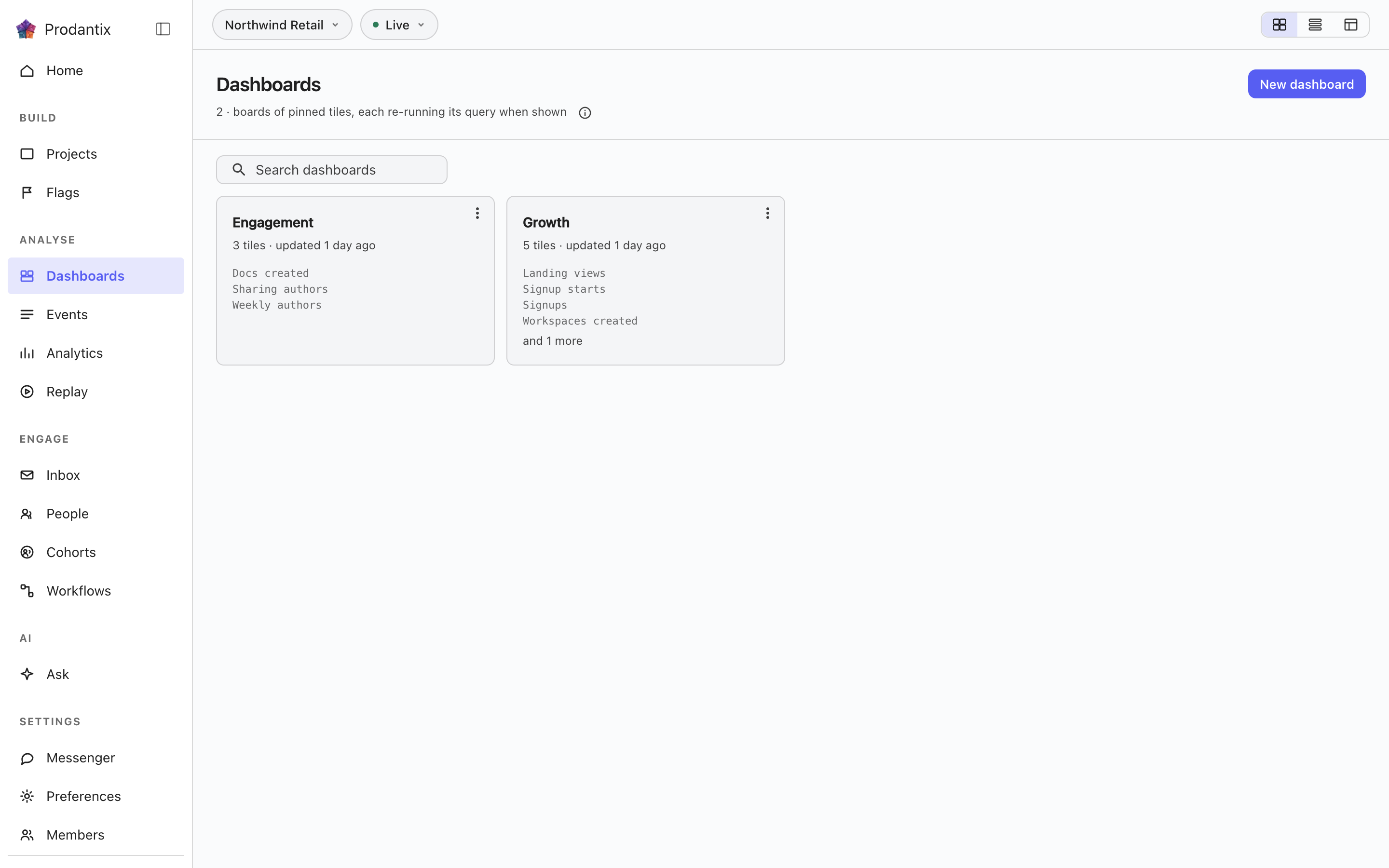
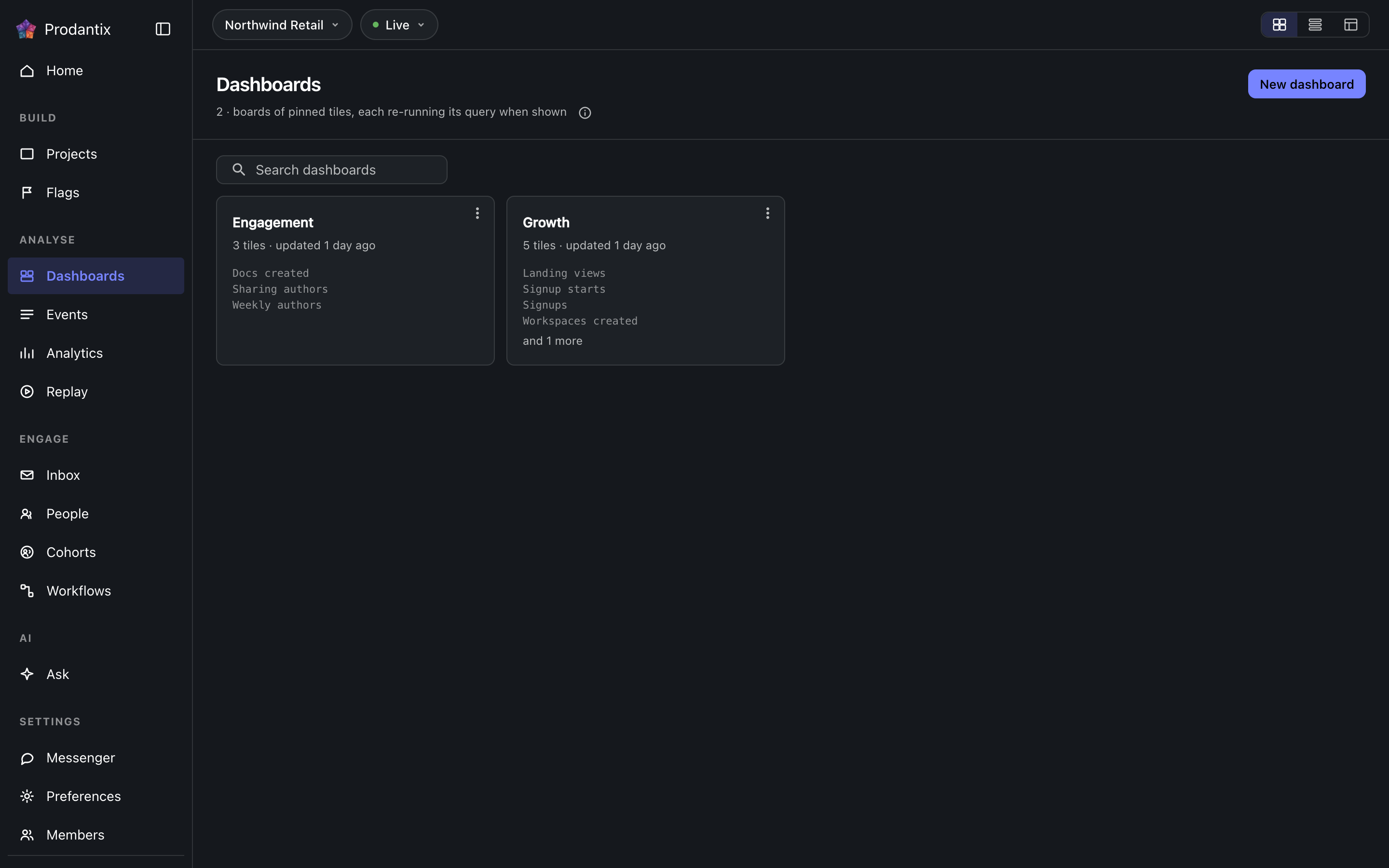
Boards
Every board in the project on the Boards tab, searchable by name, with the count in the page head describing the whole library rather than the narrowed view. New board names a board and opens it empty; a board's row menu renames, duplicates or deletes it, and deleting asks first because a board's tiles are the only copy of their saved questions. How the tab presents, as cards, rows or a table, is a stored preference per person, picked on the tab's own bar. Switching arrangements starts on the Growth plan; the Starter plan reads cards.
Reports
レポートとは、一つのボードに住む保存された問いで、名前と説明を持ち、変更のたびにバージョンとして残ります。ワークベンチの Save メニューの Save as report から二段階で保存します: まず名前と説明、次に住まうボードを、三行分の高さの検索できる一覧から選び、その下に New board があります。Reports タブはプロジェクトの全レポートをカードで並べます: 名前はワークベンチで開き、説明が続き、メタ行はどのボードにあるか、バージョン、最後に更新した時を示します。検索は名前と説明に一致します。カードのメニューからは、開く、改名する、別のボードへ移す、複製する、または区切りの下で削除する、ができます。削除は先に確認し、バージョンも一緒に消えます。削除と移動はすぐに反映され、スナックバーが Undo とともに知らせます。それが唯一の戻り道で、削除されたレポートは一時間後に完全に消去されます。ボード上ではレポートはレポートとバージョンで印付けされたタイルで、主要色で示され、Open report がメニューの先頭に立ちます。ピン留めされたタイルはインサイトと印付けされます。ボードからレポートのタイルを外すことはレポートの削除であり、同じ Undo が付きます。ワークベンチのカードの下では、バージョンの帯が現在のバージョン、誰がいつ保存したかを示します。Show history はすべてのバージョンを、何が変わったか、誰が、いつ、と三件ずつ見える形で広げ、現在以外の各項目に Restore があります。復元は履歴を書き換えるのではなく、選んだものを写した新しいバージョンを書きます。
A board and its tiles
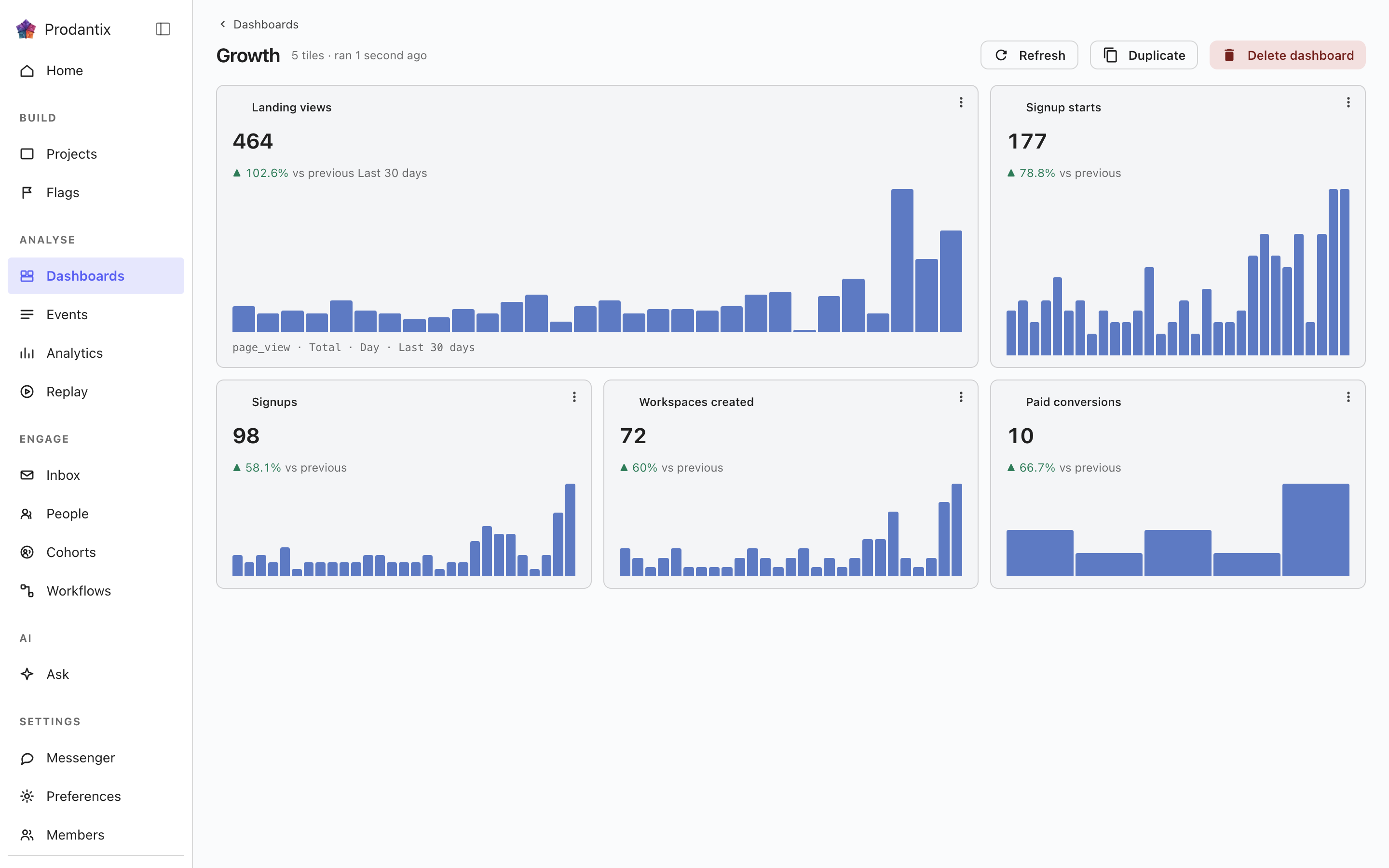
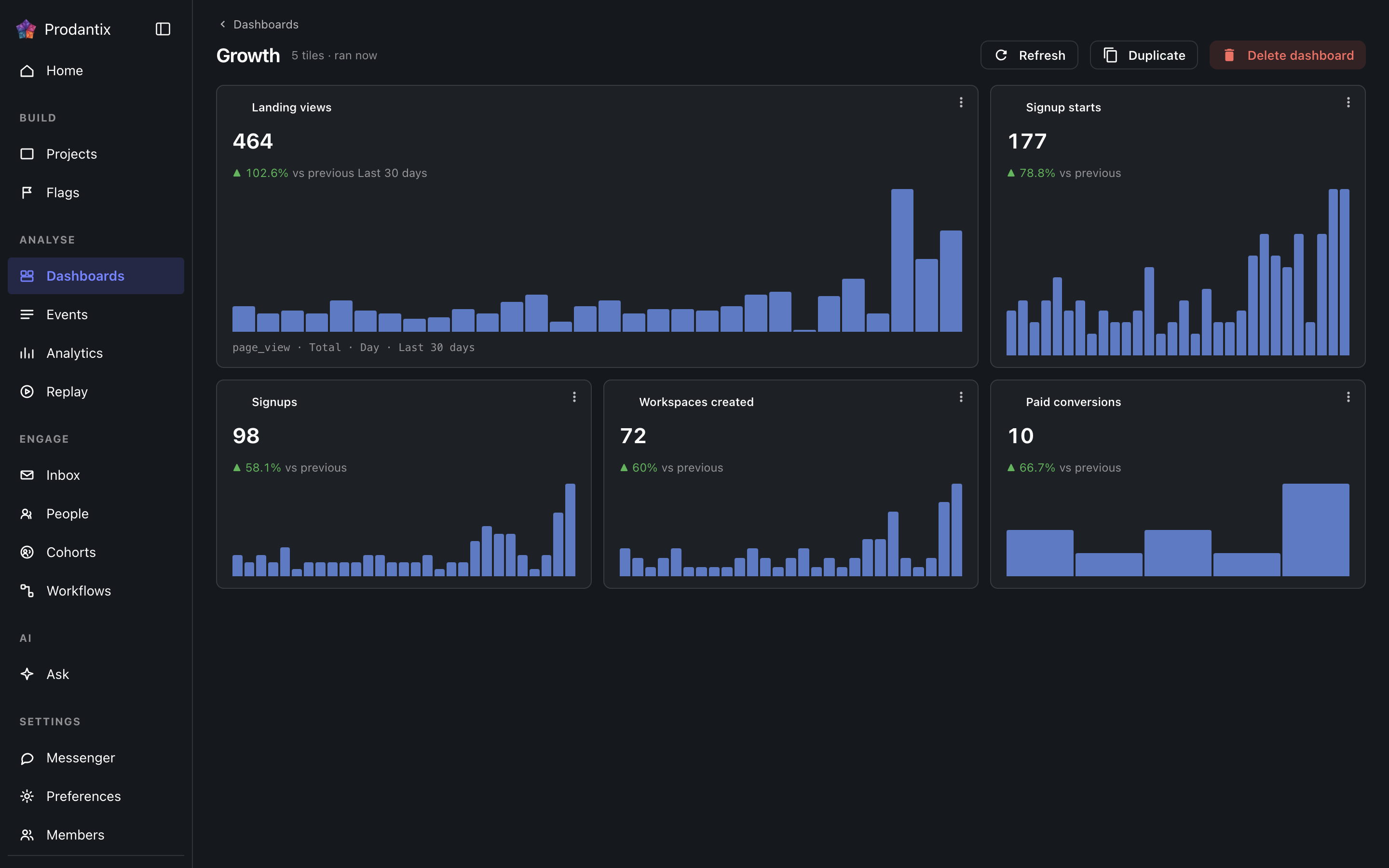
Each tile is one saved question: its title, the current total, a signed delta against the preceding window and a sparkline of the series. Tiles are added by asking a question in the Analytics workbench and pinning the result here; the pin dialog offers every existing board and a new one. A trend tile carries the whole query forward: every metric, any formula, its breakdowns and its compared period, so a re-run always answers exactly what was pinned. A tile that fails to load says so on the tile, with its own retry, rather than poisoning the board; Refresh re-runs every tile at once, and a tile's menu renames it, switches it between standard and wide widths, moves it along the grid, or removes it.
Insights
インサイトとは、問いをそのまま保ったもの: 組み立てたときのエディタ、分析の種類、読んだときのチャートの種類を、名前を付けて残します。ワークベンチの Save メニューの As an insight から保存し、ここから、またはワークベンチが ?insight= として持つアドレスから開き直すと、エディタとチャートが復元されます。カードは分析の種類をチップで示し、問いをチャートの種類とともに言葉で書き、最後に保存した時を示します。メニューからは、開く、改名する、その名前のタイルとしてボードにピン留めする、削除する、ができます。削除は先に確認し、それをタイルとして載せていたボードのタイルはそのまま残ります。タイルはクエリ自身のコピーだからです。検索は名前と言葉に一致します。監視付きのインサイトは名前の後に監視中チップを付け、境界を超えている間は警告の色調になります。
行のコピー先…は、この対象にチェックが入った状態で設定のコピーを開きます。プロジェクト、設定のコピーを参照してください。
Where this meets the API
The concept behind the three tabs is the Analytics pillar. On the wire: the Boards tab is the dashboards query, the Reports tab is reports and the Insights tab is insights; boards change through createDashboard, updateDashboard and deleteDashboard (pinning a tile is an updateDashboard carrying the new tile), insights through createInsight, updateInsight and deleteInsight. A report is saved through createReport, read alone through report, changed through updateReport, renameReport, describeReport and moveReport, copied through duplicateReport, deleted through deleteReport and brought back through restoreReport; its history is reportVersions and Restore is restoreReportVersion, which writes a new version copying the chosen one. A report's public link is read through reportPublicLink, turned on or given a new stop day through setReportPublicLink and turned off through turnOffReportPublicLink, and reportShareChanges streams each change; shareReport sends it to teammates, with a note, by email and push. People talk about a report in threads, on the whole report or on one point of it: reportCommentThreads reads them, each with its first comment and latest two replies, reportCommentEarlierReplies reads the replies before those twenty at a time, startReportCommentThread starts one, replyToReportCommentThread answers it, resolveReportCommentThread and reopenReportCommentThread close and open it again, an author changes their own words through editReportComment and deleteReportComment, reactions come and go through addReportCommentReaction and removeReportCommentReaction, and reportCommentChanges streams each change. A report's tile carries only its reportId, and the board read fills the tile from the report, so every tile renders by running its query through runQuery (GraphQL reference). A run that names its report through reportId refreshes that report's public link when the query it ran is the one saved.