Enregistré
Là où vit ce que vous gardez de l'atelier, en trois onglets. Tableaux : chaque tableau est une collection de tuiles enregistrées, et chaque tuile relance sa propre requête à chaque ouverture, les chiffres sont donc vivants et non des instantanés. Rapports : une question enregistrée qui vit sur un tableau, avec une description et un historique de versions. Insights : une question gardée entière, son éditeur et son graphique, rouverte dans l'atelier avec tout tel quel. Chaque onglet cherche par nom ; les tableaux se créent, se renomment, se dupliquent et se suppriment, les rapports se renomment, se déplacent, se dupliquent et se suppriment avec Undo, les insights se renomment, s'épinglent à un tableau ou se suppriment.
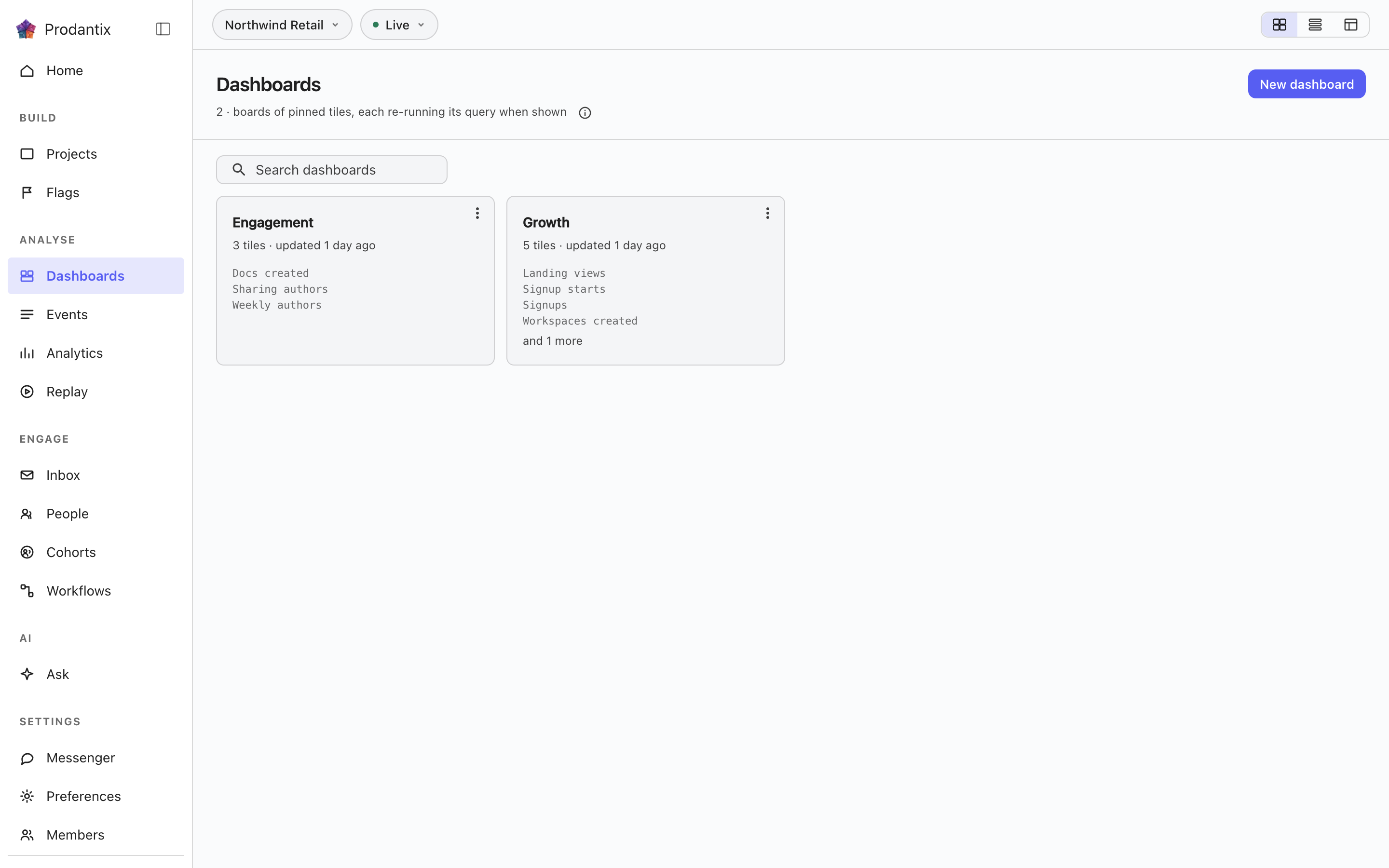
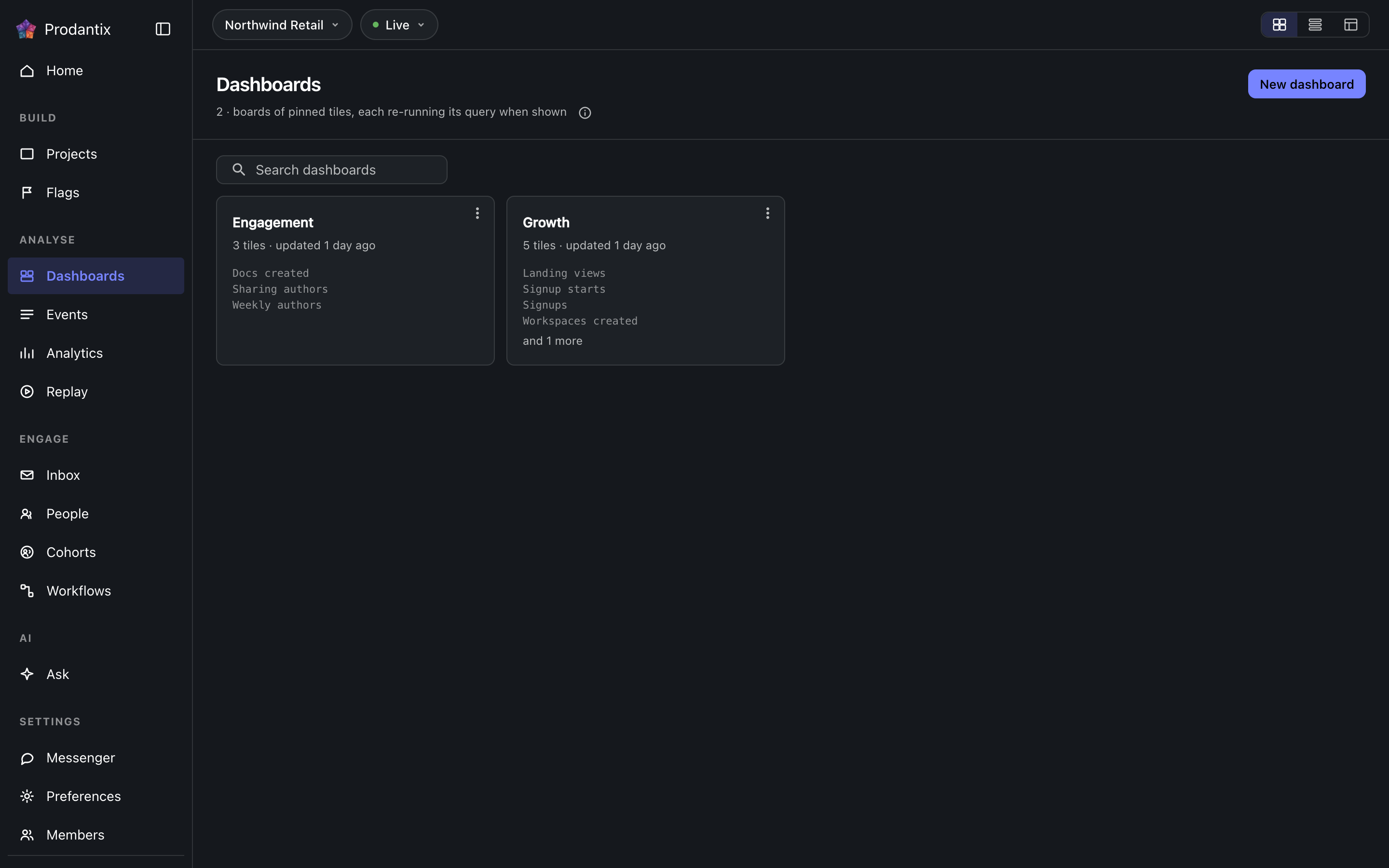
Boards
Every board in the project on the Boards tab, searchable by name, with the count in the page head describing the whole library rather than the narrowed view. New board names a board and opens it empty; a board's row menu renames, duplicates or deletes it, and deleting asks first because a board's tiles are the only copy of their saved questions. How the tab presents, as cards, rows or a table, is a stored preference per person, picked on the tab's own bar. Switching arrangements starts on the Growth plan; the Starter plan reads cards.
Reports
Un rapport est une question enregistrée qui vit sur un tableau, sous un nom et une description, chaque modification gardée comme version. Il s'enregistre depuis le menu Save de l'atelier, Save as report, en deux étapes : d'abord le nom et la description, puis le tableau où il vit, choisi dans une liste avec recherche haute de trois lignes, New board dessous. L'onglet Reports liste chaque rapport du projet en carte : le nom l'ouvre dans l'atelier, la description suit, et la ligne de méta dit sur quel tableau il est, sa version et la date de sa dernière mise à jour. La recherche porte sur le nom et la description. Le menu de la carte l'ouvre, le renomme, le déplace vers un autre tableau, le duplique ou, sous le séparateur, le supprime. La suppression demande d'abord et emporte les versions ; une suppression ou un déplacement prend effet aussitôt et la snackbar le dit avec Undo, le seul retour possible, et un rapport supprimé est purgé une heure plus tard. Sur son tableau, un rapport est une tuile marquée Rapport avec sa version, dans le ton principal, et Open report ouvre son menu ; une tuile épinglée est marquée Insight. Retirer la tuile d'un rapport de son tableau, c'est supprimer le rapport, avec le même Undo. Sous la carte de l'atelier, la bande de versions nomme la version actuelle, qui l'a enregistrée et quand ; Show history déplie chaque version, ce qui a changé, par qui et quand, trois entrées visibles, avec Restore à côté de chacune sauf l'actuelle, et une restauration écrit une nouvelle version copiant celle choisie plutôt que de réécrire l'historique.
A board and its tiles
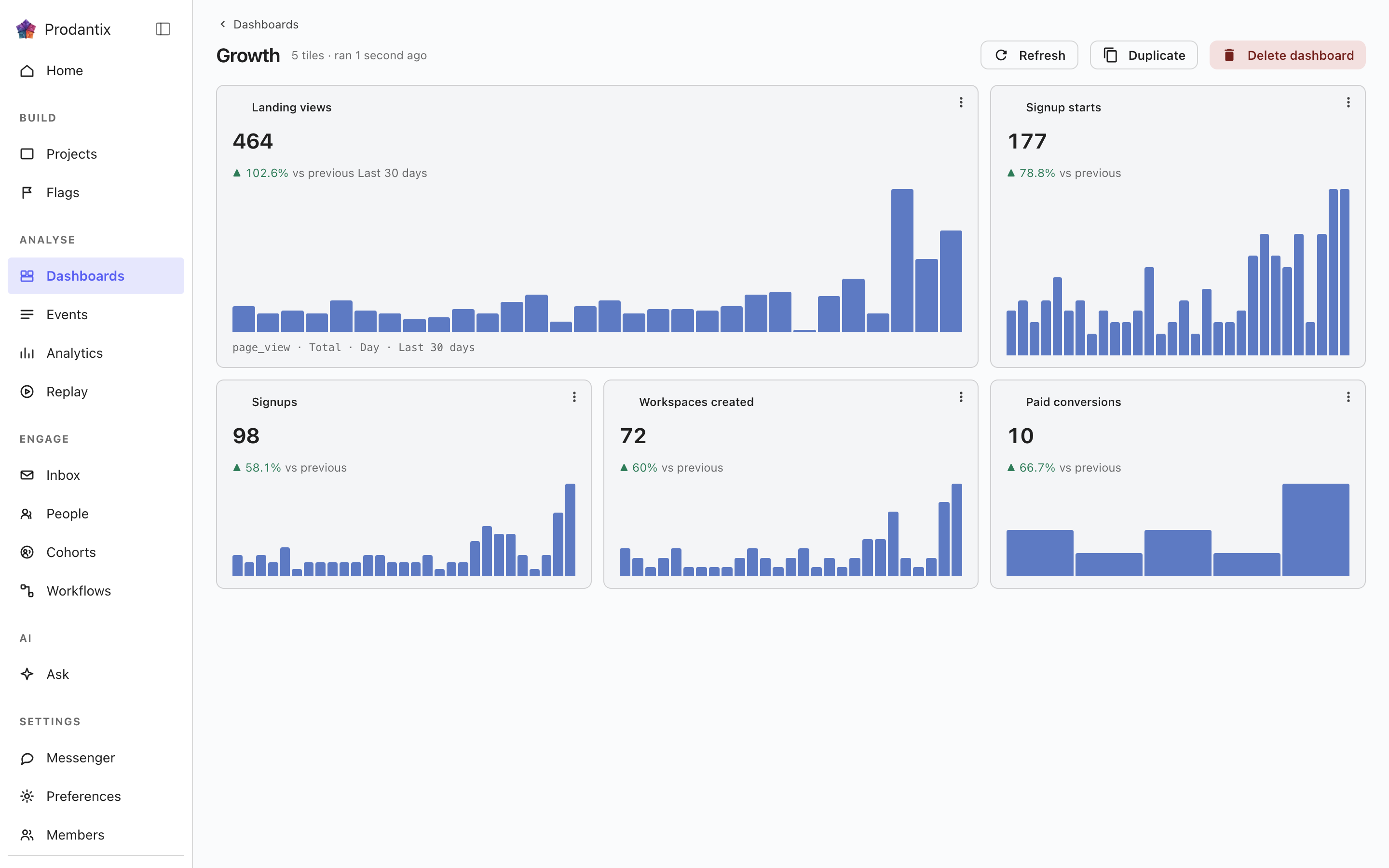
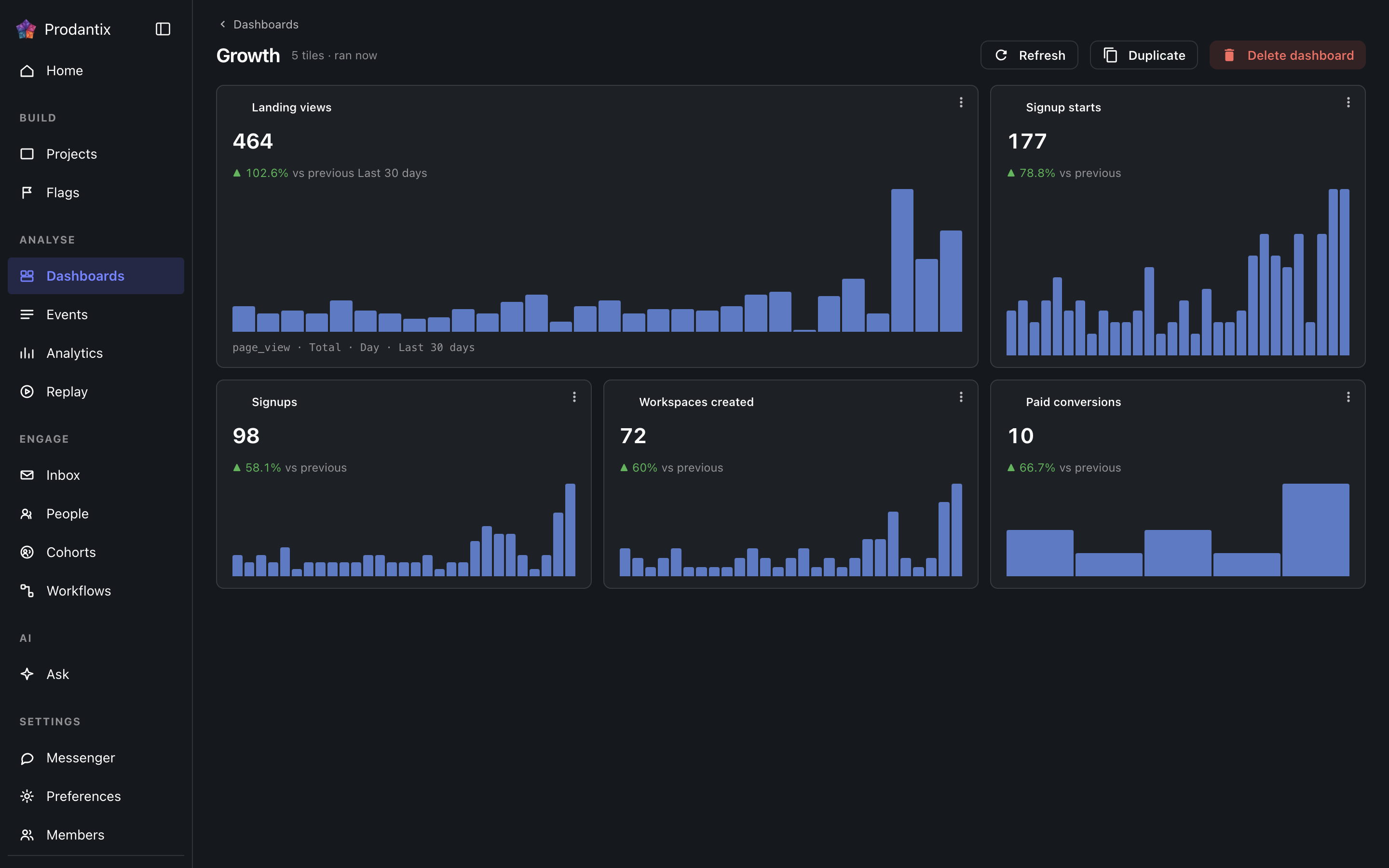
Each tile is one saved question: its title, the current total, a signed delta against the preceding window and a sparkline of the series. Tiles are added by asking a question in the Analytics workbench and pinning the result here; the pin dialog offers every existing board and a new one. A trend tile carries the whole query forward: every metric, any formula, its breakdowns and its compared period, so a re-run always answers exactly what was pinned. A tile that fails to load says so on the tile, with its own retry, rather than poisoning the board; Refresh re-runs every tile at once, and a tile's menu renames it, switches it between standard and wide widths, moves it along the grid, or removes it.
Insights
Un insight est une question gardée entière : l'éditeur tel qu'il a été composé, son type d'analyse et le type de graphique dans lequel elle a été lue, sous un nom. Il s'enregistre depuis le menu Save de l'atelier, As an insight, et se rouvre d'ici ou depuis l'adresse que l'atelier porte en ?insight=, l'éditeur et le graphique restaurés. La carte nomme le type d'analyse sur une puce, écrit la question en mots avec son type de graphique et dit quand il a été enregistré pour la dernière fois. Son menu l'ouvre, le renomme, l'épingle à un tableau comme tuile portant son nom, ou le supprime. La suppression demande d'abord, et les tableaux qui le portaient comme tuile gardent leur tuile, car une tuile est sa propre copie de la requête. La recherche porte sur le nom et sur les mots. Un insight sous surveillance porte une puce Surveillé après son nom, dans le ton d'avertissement tant que sa limite est franchie.
Copier vers… sur la ligne ouvre la copie de configuration avec cet objet déjà coché ; voir Projets, Copier la configuration.
Where this meets the API
The concept behind the three tabs is the Analytics pillar. On the wire: the Boards tab is the dashboards query, the Reports tab is reports and the Insights tab is insights; boards change through createDashboard, updateDashboard and deleteDashboard (pinning a tile is an updateDashboard carrying the new tile), insights through createInsight, updateInsight and deleteInsight. A report is saved through createReport, read alone through report, changed through updateReport, renameReport, describeReport and moveReport, copied through duplicateReport, deleted through deleteReport and brought back through restoreReport; its history is reportVersions and Restore is restoreReportVersion, which writes a new version copying the chosen one. A report's public link is read through reportPublicLink, turned on or given a new stop day through setReportPublicLink and turned off through turnOffReportPublicLink, and reportShareChanges streams each change; shareReport sends it to teammates, with a note, by email and push. People talk about a report in threads, on the whole report or on one point of it: reportCommentThreads reads them, each with its first comment and latest two replies, reportCommentEarlierReplies reads the replies before those twenty at a time, startReportCommentThread starts one, replyToReportCommentThread answers it, resolveReportCommentThread and reopenReportCommentThread close and open it again, an author changes their own words through editReportComment and deleteReportComment, reactions come and go through addReportCommentReaction and removeReportCommentReaction, and reportCommentChanges streams each change. A report's tile carries only its reportId, and the board read fills the tile from the report, so every tile renders by running its query through runQuery (GraphQL reference). A run that names its report through reportId refreshes that report's public link when the query it ran is the one saved.