सहेजा गया
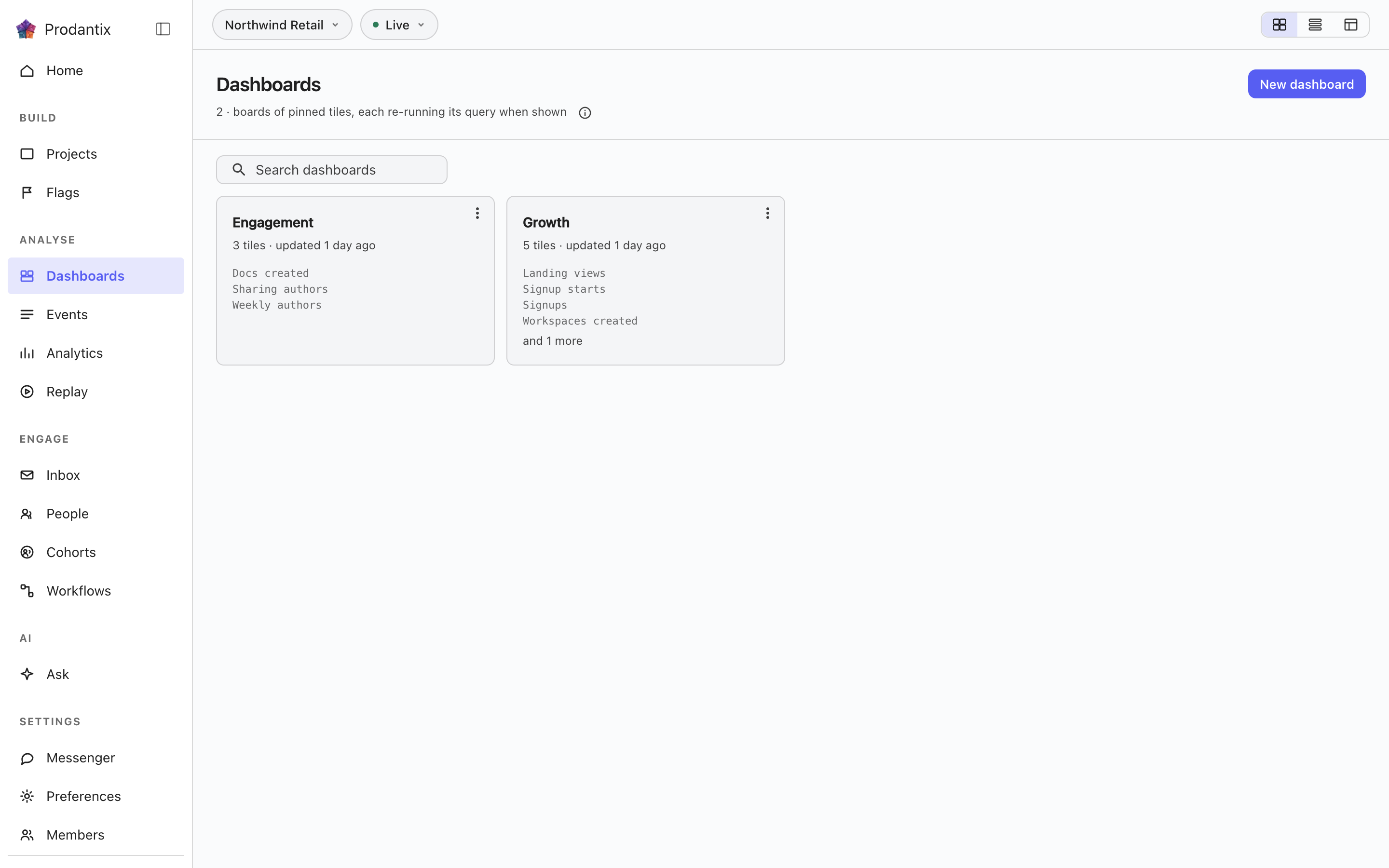
वर्कबेंच से जो आप रखते हैं वह यहां रहता है, तीन टैब में। बोर्ड: हर बोर्ड सहेजी गई टाइलों का संग्रह है, और हर टाइल हर बार खुलने पर अपनी क्वेरी फिर चलाती है, इसलिए संख्याएं जीवित हैं, स्नैपशॉट नहीं। रिपोर्ट: एक बोर्ड पर रहने वाला सहेजा गया सवाल, विवरण और संस्करण इतिहास के साथ। इनसाइट: पूरा रखा गया एक सवाल, उसका एडिटर और उसका चार्ट, जो वर्कबेंच में सब कुछ वैसे ही के साथ फिर खुलता है। हर टैब नाम से खोजता है; बोर्ड बनाए, नाम बदले, कॉपी किए और हटाए जाते हैं, रिपोर्ट का नाम बदला, उसे ले जाया, कॉपी किया और Undo के साथ हटाया जाता है, और इनसाइट का नाम बदला, बोर्ड पर पिन किया या हटाया जाता है।
Boards
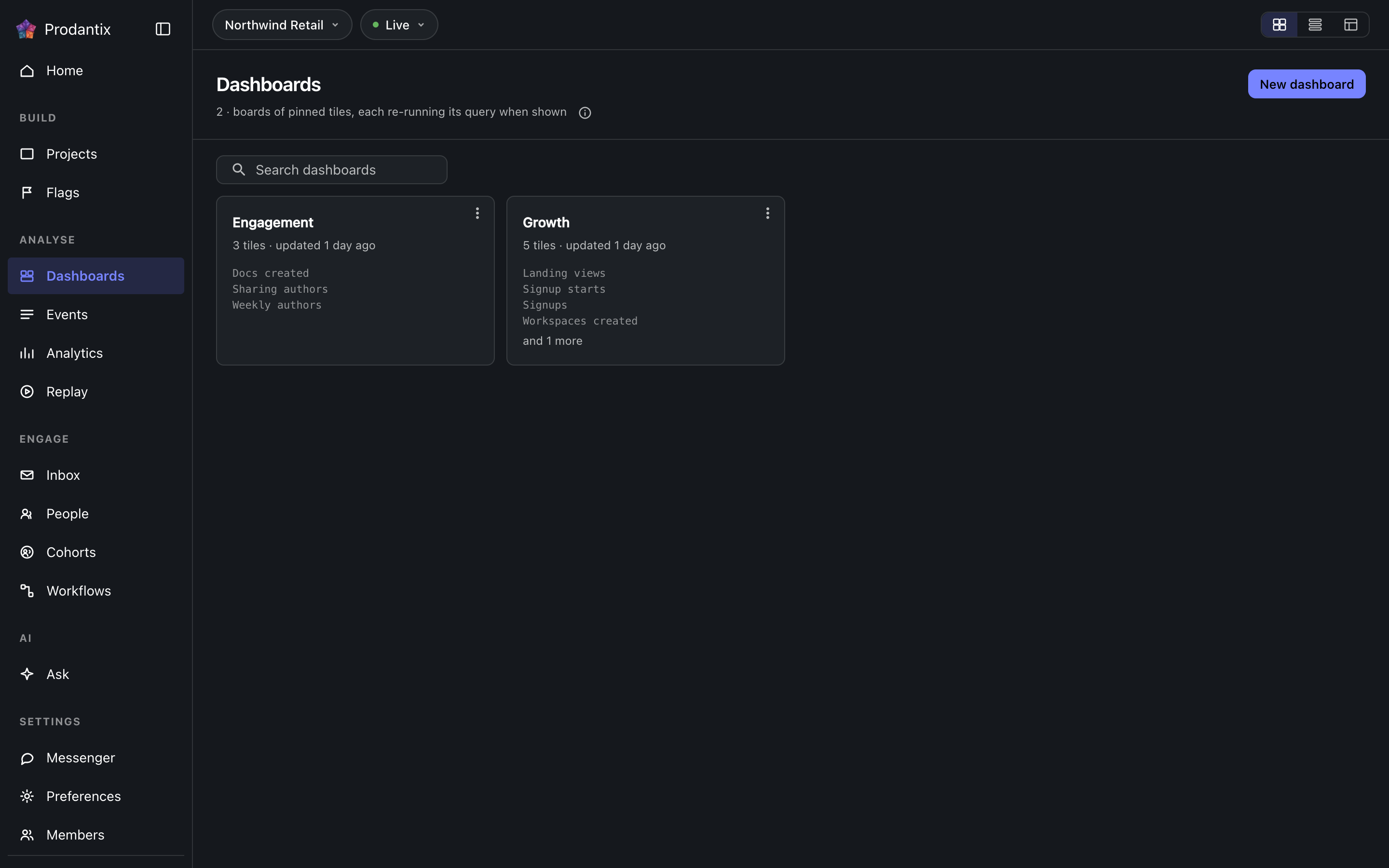
Every board in the project on the Boards tab, searchable by name, with the count in the page head describing the whole library rather than the narrowed view. New board names a board and opens it empty; a board's row menu renames, duplicates or deletes it, and deleting asks first because a board's tiles are the only copy of their saved questions. How the tab presents, as cards, rows or a table, is a stored preference per person, picked on the tab's own bar. Switching arrangements starts on the Growth plan; the Starter plan reads cards.
Reports
रिपोर्ट एक बोर्ड पर रहने वाला सहेजा गया सवाल है, एक नाम और विवरण के तहत, जिसका हर बदलाव एक संस्करण के रूप में रखा जाता है। यह वर्कबेंच के Save मेनू से, Save as report, दो चरणों में सहेजी जाती है: पहले नाम और विवरण, फिर वह बोर्ड जिस पर यह रहती है, तीन पंक्तियों ऊंची खोजी जा सकने वाली सूची से चुना गया, नीचे New board के साथ। Reports टैब प्रोजेक्ट की हर रिपोर्ट को कार्ड के रूप में दिखाता है: नाम इसे वर्कबेंच में खोलता है, फिर विवरण, और मेटा पंक्ति बताती है कि यह किस बोर्ड पर है, इसका संस्करण और इसे आखिरी बार कब अपडेट किया गया। खोज नाम और विवरण से मेल खाती है। कार्ड का मेनू इसे खोलता है, नाम बदलता है, दूसरे बोर्ड पर ले जाता है, कॉपी करता है या, विभाजक के नीचे, हटाता है। हटाना पहले पूछता है और संस्करणों को साथ ले जाता है; हटाना या ले जाना तुरंत हो जाता है और स्नैकबार Undo के साथ यह बताता है, वापसी का एकमात्र रास्ता, और हटाई गई रिपोर्ट एक घंटे बाद पूरी तरह मिटा दी जाती है। अपने बोर्ड पर रिपोर्ट एक टाइल है जिस पर रिपोर्ट और उसका संस्करण प्राथमिक रंग में अंकित है, और Open report उसके मेनू में सबसे पहले है; पिन की गई टाइल पर इनसाइट अंकित है। बोर्ड से रिपोर्ट की टाइल हटाना रिपोर्ट को हटाना है, उसी Undo के साथ। वर्कबेंच कार्ड के नीचे संस्करण पट्टी वर्तमान संस्करण, किसने और कब सहेजा, बताती है; Show history हर संस्करण खोलता है, क्या बदला, किसने और कब, तीन प्रविष्टियां दिखती हैं, वर्तमान को छोड़कर हर एक के पास Restore, और बहाली इतिहास को फिर से लिखने के बजाय चुने हुए की कॉपी के रूप में एक नया संस्करण लिखती है।
A board and its tiles
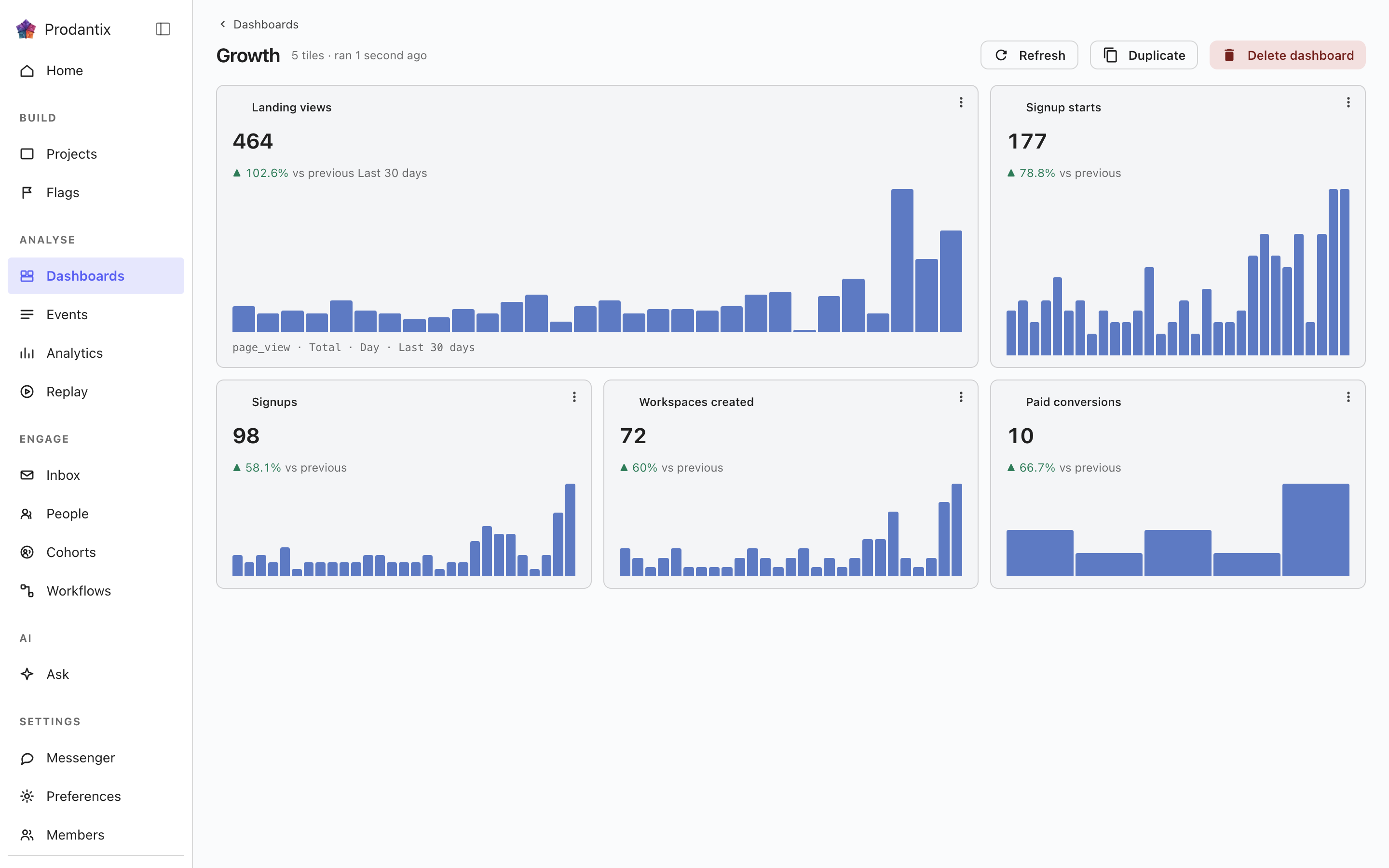
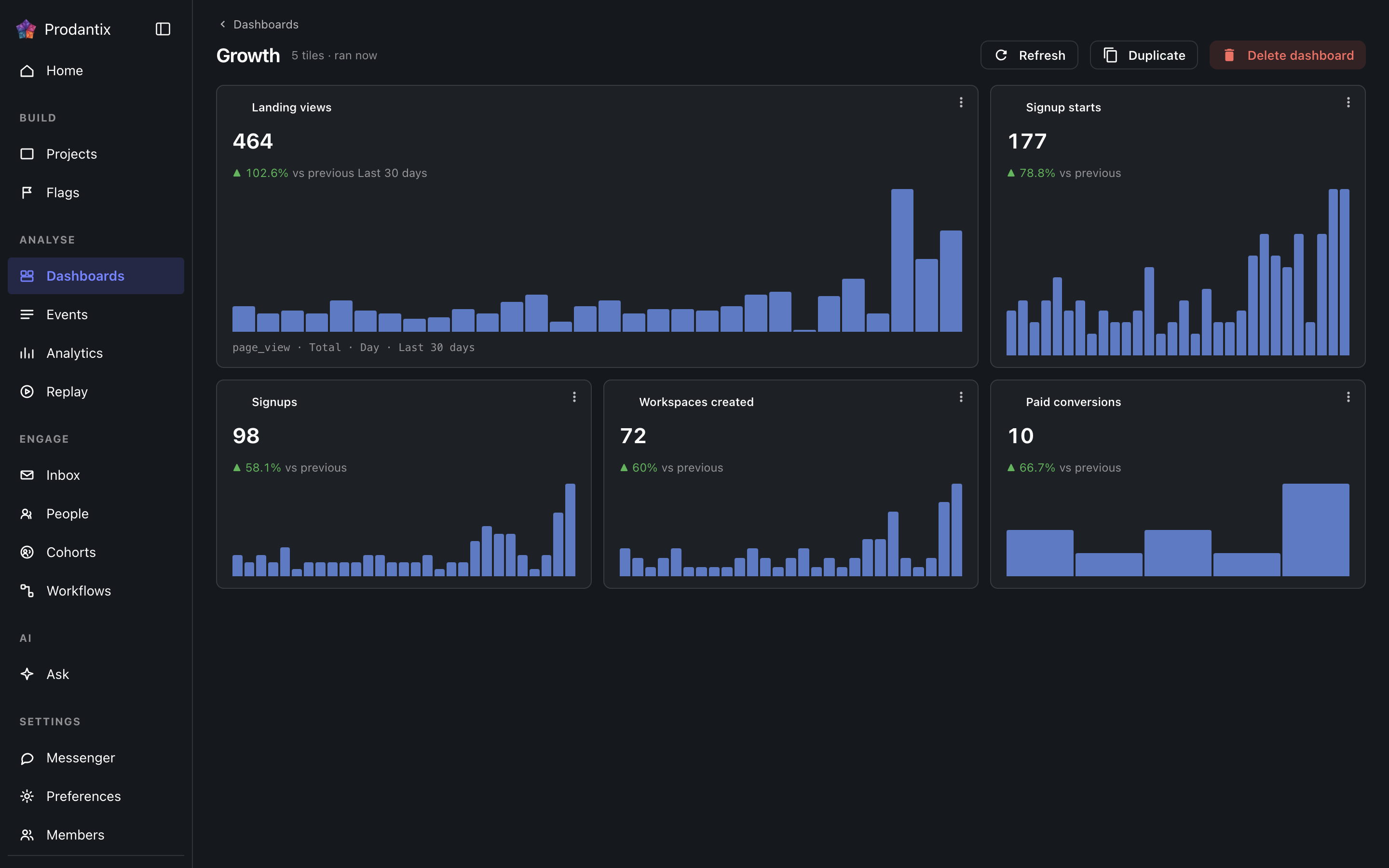
Each tile is one saved question: its title, the current total, a signed delta against the preceding window and a sparkline of the series. Tiles are added by asking a question in the Analytics workbench and pinning the result here; the pin dialog offers every existing board and a new one. A trend tile carries the whole query forward: every metric, any formula, its breakdowns and its compared period, so a re-run always answers exactly what was pinned. A tile that fails to load says so on the tile, with its own retry, rather than poisoning the board; Refresh re-runs every tile at once, and a tile's menu renames it, switches it between standard and wide widths, moves it along the grid, or removes it.
Insights
इनसाइट पूरा रखा गया एक सवाल है: एडिटर जैसा बनाया गया था, उसका विश्लेषण प्रकार और जिस चार्ट प्रकार में उसे पढ़ा गया, एक नाम के तहत। यह वर्कबेंच के Save मेनू से, As an insight, सहेजा जाता है और यहां से या उस पते से जो वर्कबेंच ?insight= के रूप में रखता है, फिर खोला जाता है, जिसमें एडिटर और चार्ट बहाल हो जाते हैं। कार्ड एक चिप पर विश्लेषण प्रकार बताता है, सवाल को उसके चार्ट प्रकार के साथ शब्दों में लिखता है, और बताता है कि इसे आखिरी बार कब सहेजा गया। इसका मेनू इसे खोलता है, नाम बदलता है, इसके नाम की टाइल के रूप में किसी बोर्ड पर पिन करता है, या हटाता है। हटाना पहले पूछता है, और जिन बोर्ड पर यह टाइल के रूप में था वे अपनी टाइल रखते हैं, क्योंकि टाइल क्वेरी की अपनी प्रति है। खोज नाम और शब्दों से मेल खाती है। नज़र वाली इनसाइट अपने नाम के बाद एक नज़र में चिप रखती है, चेतावनी के रंग में जब तक उसकी सीमा पार रहती है।
पंक्ति पर कॉपी करें… इस वस्तु पर निशान लगाकर कॉन्फ़िगरेशन कॉपी खोलता है; देखें प्रोजेक्ट, कॉन्फ़िगरेशन कॉपी करना।
Where this meets the API
The concept behind the three tabs is the Analytics pillar. On the wire: the Boards tab is the dashboards query, the Reports tab is reports and the Insights tab is insights; boards change through createDashboard, updateDashboard and deleteDashboard (pinning a tile is an updateDashboard carrying the new tile), insights through createInsight, updateInsight and deleteInsight. A report is saved through createReport, read alone through report, changed through updateReport, renameReport, describeReport and moveReport, copied through duplicateReport, deleted through deleteReport and brought back through restoreReport; its history is reportVersions and Restore is restoreReportVersion, which writes a new version copying the chosen one. A report's public link is read through reportPublicLink, turned on or given a new stop day through setReportPublicLink and turned off through turnOffReportPublicLink, and reportShareChanges streams each change; shareReport sends it to teammates, with a note, by email and push. People talk about a report in threads, on the whole report or on one point of it: reportCommentThreads reads them, each with its first comment and latest two replies, reportCommentEarlierReplies reads the replies before those twenty at a time, startReportCommentThread starts one, replyToReportCommentThread answers it, resolveReportCommentThread and reopenReportCommentThread close and open it again, an author changes their own words through editReportComment and deleteReportComment, reactions come and go through addReportCommentReaction and removeReportCommentReaction, and reportCommentChanges streams each change. A report's tile carries only its reportId, and the board read fills the tile from the report, so every tile renders by running its query through runQuery (GraphQL reference). A run that names its report through reportId refreshes that report's public link when the query it ran is the one saved.