التحليلات
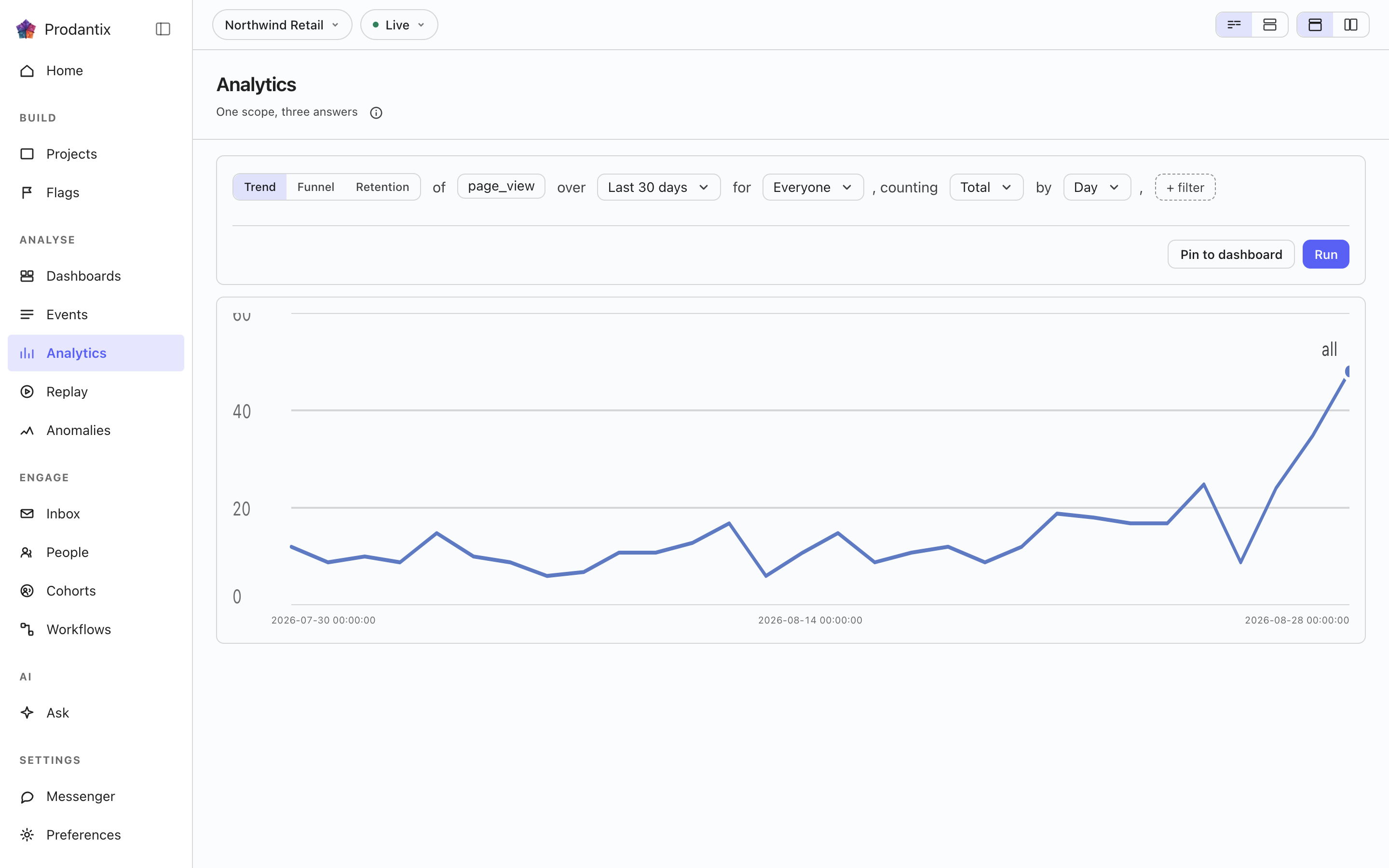
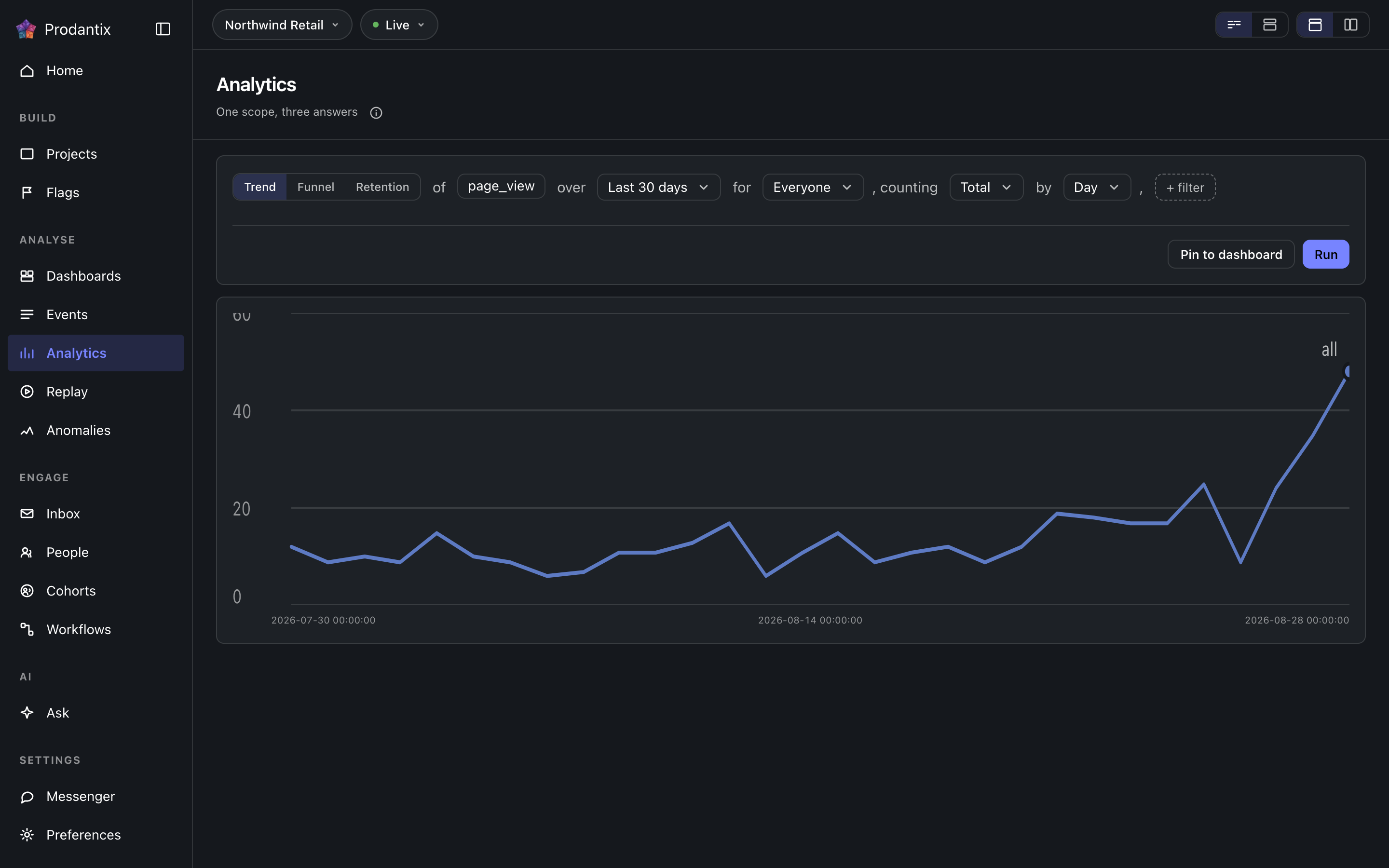
طاولة العمل: سؤال واحد يُكتب كجملة ويُطرح بثلاث طرق، اتجاها أو قمعا أو استبقاء. تُرسم النتيجة في مكانها، وإن كانت تستحق الإبقاء تُثبت في لوحة معلومات.
Six modes, one question
A trend counts one event over a range, as totals or unique people, at a granularity the range makes sensible. A funnel orders two or more steps and reports who made it through each. Retention asks who came back: an entry event, a return event and a matrix of periods. Paths asks what happened next, stickiness how many days a period's users came back on, and lifecycle who was new, returning, resurrecting or dormant in each period. Switching modes keeps everything the modes share, so a trend refined into a funnel does not start over.
Metrics and formulas


A trend is not one measure: Add a metric appends a letter, B onward, each its own event and its own total or unique users measure, the scope event staying letter A. Add a formula turns a row into an expression combining those letters with decimal numbers and + - * /, grouped with parentheses, up to 200 characters and never another formula's own letter. A point the formula cannot compute, a division by zero among them, draws as a gap rather than a zero.
The compared period


Compare asks the same question again over the window right before this one: Previous Period, Previous Day, Previous Week, Previous Month, Previous Quarter or Previous Year. Every series in the result gets a past twin, drawn apart from the current one rather than as a plain extra line, and the scope note names which one is picked. The compared period draws on Line, Stacked Line, Column, Stacked Column, Bar, Stacked Bar, Table and Metric; Pie draws the current period only.
Breakdowns


Breakdowns split a trend by up to three fields at once, an event property or one of the columns the DSL allow-lists: every series in the result carries the tuple of values it is one combination of, in the breakdowns' own order. The table reads every combination as its own row; the other chart types read the first breakdown as the series and fold the rest into its key.
Paths: what happened next


Paths start from an anchor event and walk one to five steps forward, or backward, within the anchor's session or a window of minutes or hours. Each step reports its top three, five or ten events with the share of that step's users, the events past the top folded into one row, and the users who took no further step. The default reading is one column per step; the same result reads as a sankey, with a block per event and a ribbon into each block of the next step, or as a tree that nests the next step's events under each event until its caret opens it.
يختار Step by ما تعنيه الخطوة. فبالحدث، تكون المشية أعلى أسماء الأحداث بعد المرساة. وبالصفحة، تنظر في مشاهدات الصفحات وحدها، ويكون مفتاح كل خطوة هو المضيف مع المسار، فتُقرأ المشية الأسعار، التسجيل، الدفع بدل مشاهدة صفحة، مشاهدة صفحة، مشاهدة صفحة. وتتغيّر المرساة معها: يصير حقل الحدث منتقيًا للصفحات التي وصل إليها الزوار فعلًا في المدى، أعلى مئة بعدد المستخدمين، لأن مرساة صفحة تُكتب باليد كان عليها أن تطابق مضيفًا ومسارًا بالضبط لتجيب بشيء. وفي مخطط سانكي وفي الشجرة تُرسم خطوة الصفحة بالمسار مع المضيف بادئة خافتة، فيبقى مضيفان يتشاركان المسار نفسه قابلَين للتمييز.
Stickiness: how many days


Stickiness counts, for each week or month, how many of the event's users were active on one, two, three and more of its days. The result row steps between periods; the column chart reads one period at a time, and the table reads all of them.
Lifecycle: new, returning, resurrecting, dormant


Lifecycle sorts each period's users into four states: new were first seen in the period, returning were active in it and the period before, resurrecting came back after a period away, and dormant were active the period before and not in this one. First-seen reads the whole retained history, so a user is new once; activity is read one period before the range, so the first period's returning and dormant counts are real rather than zero by construction. The stacked column draws dormant below the zero line; the table adds a net column.
The sentence and its clauses


The question reads as a sentence: measure, event, range and any clauses, each word an editable control with the project's own event names suggested as you type. Property clauses narrow by what an event carried; a cohort clause scopes the whole question to a saved cohort. Whether the question composes as one sentence or as labelled groups is a stored preference, as is the split or stacked layout; nothing runs until Run, so a half-edited question never fires.
المقاييس والأحداث والاستثناءات
يعدّ كل مقياس أحداثه إجمالًا أو كمستخدمين فريدين، أو يقرأ رقمًا حملته: يجمع منتقي القياس Count وSum of وAverage of، ويسرد الأخيران كل خاصية أرسلتها أحداث المقياس كرقم، فيقرأ السطر عندها the sum of amount. يقبل حقل الحدث في المقياس حتى 8 أحداث، تُعدّ معًا كسلسلة واحدة تحت حرف المقياس ويحمل وسمها كل حدث تعدّه. في الاتجاه، يستبعد Exclude بعد الفئة People who did an event، أي من قام بأي من 8 أحداث على الأكثر ضمن النطاق، أو A cohort غير الفئة التي يقتصر عليها السؤال، أو كليهما؛ ويقبل كل تفصيل أيضًا قيمًا تُستبعد منه. النطاق هو منتقي التاريخ: Today وYesterday وLast 7 days وLast 30 days وLast 3 months وLast 6 months وLast 12 months، أو أي امتداد من الأيام يُختار في تقويمه ذي الشهرين. الأيام أيام UTC، كما يعدّها مستودع البيانات، ويُحفظ النطاق النسبي باسمه، فيقرأ التقرير المحفوظ على Last 30 days دائمًا آخر 30 يومًا. على الشبكة يحمل المقياس أحداثه الإضافية في orEvents، ويحمل الاستعلام excludeDid وexcludeCohort، وقائمة الخصائص هي numericProperties على eventCatalog.
Reading a result as another chart


Every result row ends with the chart type it is read in. The menu lists Line, Stacked Line, Column, Stacked Column, Bar, Stacked Bar, Pie, Table, Metric, Funnel Steps, Retention Curve, Ranked Columns, Sankey and Tree, in that order, with the ones the result cannot take greyed rather than hidden. A trend, a stickiness period and a lifecycle take any of the series types; funnel steps take a funnel; the retention curve draws one line per cohort over its matrix; ranked columns, the sankey and the tree read paths; the table reads everything. Each mode remembers the type you chose, the URL carries it as ?chart=, and a pinned tile keeps it.
إعدادات المخطط
يفتح زر الإعدادات بجانب نوع المخطط إعدادات المخطط الخاصة به، كنافذة منبثقة أو كلوحة بجانب المخطط أو كمربع حوار، بحسب ما يسميه منتقي تخطيط الصفحة. تضبط علامتا التبويب Left axis وRight axis ما إذا كان كل محور يظهر، وعنوانه، ووحدته (عدد أو عملة أو نسبة مئوية أو مخصصة)، وبادئة ولاحقة، وما إذا كانت الأعداد الكبيرة تُختصر، وكم منزلة عشرية مع معاينة للنتيجة، وحدين أدنى وأعلى ثابتين تُقص القيم التي تتجاوزهما عند الحافة أو تُترك، ومقياسًا خطيًا أو لوغاريتميًا. تُظهر علامة التبويب Time axis محور الزمن أو تخفيه، وتمنحه عنوانًا، وتظلل عطلات نهاية الأسبوع في مخطط يومي أو بالساعة. تنقل علامة التبويب Series كل مقياس أو صيغة إلى المحور الأيسر أو الأيمن، وهو ما يفعله أيضًا صف كل مقياس في السؤال، وتختار لوحة الألوان Standard أو لوحة آمنة لعمى الألوان. يعيد كل تغيير رسم المخطط فورًا؛ ويحتفظ التقرير أو الرؤية المحفوظة بإعداداتهما، ويذكر سجل الإصدارات تغييرها، وتُرسم البطاقة المثبتة بها، على الهاتف أيضًا. على الشبكة تنتقل هذه الإعدادات في الحقل chart بجانب viz في التقارير والرؤى والبطاقات.
جدول النتائج
تحت المخطط، يسرد جدول نتائج الاتجاه صفًا لكل سلسلة: اللون الذي رُسم به خطها، وقيم التفصيل (أو مقياسها حين يحمل السؤال عدة حروف أو لا تفصيل فيه)، وعمود المجموع وعمودًا لكل فترة، مع توأم الفترة السابقة بجانب كل فترة حين يُقارن الاتجاه. إلغاء تحديد مربع الصف أو النقر على لونه يُخرج خطه من المخطط؛ ويبقى الصف في الجدول باهتًا بلون مجوف، وتُبقيه وسيلة الإيضاح مجوفًا، ويُعيد مربع الرأس كل الصفوف أو يُخرجها كلها. حقل البحث فوق الجدول يضيّق صفوفه إلى ما تحتوي قيمه على المكتوب، ولا يُخرج خطًا من المخطط أبدًا. مجموعة العرض في صف النتيجة تبدّل بين المخطط والجدول والمخطط والجدول، وهو ما تُفتح عليه النتيجة؛ وحين يكون نوع المخطط جدول يكون الجدول هو المخطط فتختفي المجموعة. يُحفظ العرض والصفوف المُخرجة مع التقرير كجزء من إعدادات المخطط، في الحقل chart باسم view وhidden، فيرسم التقرير المحفوظ والرؤية والبطاقة المثبتة الخطوط نفسها، على الهاتف أيضًا. أما الأوضاع الأخرى فتعرض جدولها الخاص تحت المخطط، مع البحث ودون اختيار الصفوف.
يقول السطر فوق المخطط منذ متى تم تشغيل النتيجة، ويطرح زر تحديث بجوار إعدادات المخطط السؤال نفسه مرة أخرى. أما التغييرات التي أجريتها على الجملة بعد ذلك فتنتظر تشغيل.
التصرف في نقطة
النقر على نقطة في مخطط يفتح قائمة عنوانها النقطة نفسها: سلسلتها وفترتها وقيمتها؛ وعلى الهاتف يفتح الضغط المطوّل القائمة نفسها. هذا التقرير يغيّر السؤال ويشغّله من جديد. تكبير يضيّق اتجاهًا أو دورة حياة إلى الفترة المنقورة بدرجة أدق: الشهر إلى أسابيع، والأسبوع إلى أيام، ويوم الاتجاه إلى ساعات. على نقطة من تقسيم، يضيف صف التصفية مرشحًا لكل قيمة من قيمها، ويُخرج صف الاستبعاد قيمة واحدة من تقسيمها، صفًا لكل قيمة؛ وعلى نقطة بلا تقسيم يبقى الاثنان رماديين باسمي التصفية حسبه واستبعاده. نظرة أقرب تسرد من وما الذي صنع النقطة، في كل وضع: فترة الاتجاه أو دورة الحياة، وخطوة القمع، وخلية الاحتفاظ، وحدث على مسار، وعمود الالتصاق، كلٌّ يسمّي ما يخصه. عرض المستخدمين وعرض الأحداث وعرض عمليات إعادة التشغيل تفتحها في مربع حوار افتراضيًا، أو في لوحة جانبية أو في الصفحة نفسها، حسب ما يضبطه المحدِّد في صفحة التحليلات. فتح في الأشخاص، أو الأحداث، أو إعادة التشغيل، ينقل النقطة إلى تلك الصفحة، حيث تسمّيها شريحة وتزيلها؛ وعندما يرسل المحدِّد النقطة مباشرة إلى الصفحة، يعيد العودة إلى التقرير إلى السؤال. شرح يضم تحليل السبب الجذري: على نقطة اتجاه تسبقها فترة وتعدّ الإجماليات أو المستخدمين الفريدين، يصوغ في Ask سؤال لماذا ارتفع الخط أو انخفض بين الفترتين. في الـ API، تنتقل النقطة كوسيطة point لـ projectPeople وreplaySessions وفي مرشح events: نوع التقرير واستعلامه، مع الفترة أو الخطوة أو الحدث أو المجموعة أو المدة أو الأيام النشطة أو الحالة التي تحددها.
التعليقات التوضيحية
يضع إضافة تعليق توضيحي في قائمة النقطة علامة على ذلك اليوم، أو على نطاق يُختار من التقويم، مع ملاحظة وما يصل إلى عشرة وسوم. في التقرير، يُبقي يظهر في التعليق على التقرير وحده أو يعرضه على كل مخطط في المشروع تشمل تواريخه هذا التعليق؛ أما السؤال غير المحفوظ كتقرير فيعرضه على مخططات المشروع. تظهر علامة على محور التاريخ: يرسم المرور فوقها خطها وبطاقة تحمل الملاحظة والوسوم والأيام ومن أضافه، ويُبقي النقر البطاقة مفتوحة مع تحرير وحذف لصاحبه ولكل من يُسمح له بكتابة التعليقات التوضيحية. تسرد علامة التبويب التعليقات التوضيحية في إعدادات المخطط هذه التعليقات وتُخفي الوسوم التي توقفها، وتُحفظ مع التقرير، وترسم بلاطات اللوحة العلامات نفسها. في الواجهة البرمجية هي annotations وcreateAnnotation وupdateAnnotation وdeleteAnnotation واشتراك annotationChanges و/v1/projects/{projectId}/annotations؛ ويقرؤها الوكلاء ويضيفونها عبر prodantix.annotations.list وprodantix.annotations.create.
Results, and keeping them
A trend draws as a series, a funnel as its steps with the drop between them, retention as a matrix whose rows are entry periods, paths as ranked columns per step, stickiness as columns over days active and lifecycle as a stacked column. Once a result exists, Pin saves the question to a board on Saved, where its tile re-runs the query on every open and draws it as the chart type it was pinned in.
إلى جانب Pin يقف Save. أول صفوفه As an insight: يُحفظ السؤال بأكمله، المحرر والرسم البياني، تحت اسم يُطلب في مربع، ثم يسمي رأس البطاقة الرؤية المفتوحة على شارة؛ ويحمل العنوان ?insight=، فيعيد الرابط فتحها. عدّل السؤال فتقرأ الشارة changed بعد الاسم حتى يكتب أول صفوف Save، وقد صار Update، التعديل فوق ما حُفظ، أو يحتفظ صفه الثاني، Save as a new insight، بالتعديل رؤية أخرى. الصف التالي Users as a cohort: يسمي الأشخاص الذين عدتهم النتيجة ويحفظهم مجموعة ثابتة. تُجسَّد القائمة على الخادم من الاستعلام كما جرى، فتضم كل من عدته النتيجة لا كل من رسمه المخطط، حتى 100,000، وتُرفض نتيجة لم تعد أحداً. تحتفظ المجموعة بالجملة التي قُرئت تحتها، ولأنها قائمة ثابتة لا يُعاد تقييمها أبداً: السؤال نفسه في الأسبوع القادم يجيب عن الأسبوع القادم، بينما تظل المجموعة تضم من عدتهم اليوم. تُسرد الرؤى المحفوظة في تبويب Insights من Saved. تحت فاصل يوجد تصدير CSV: يكتب الخادم النتيجة كجدول بيانات من الاستعلام كما جرى تشغيله، صف لكل فترة وتفصيل مع عمود لكل حرف مقياس، وكل التركيبات حتى ألف المحرك بدل القلة العليا التي يرسمها المخطط، ويسمي الملف باسم الأداة والنطاق. أخيراً يأتي مراقبة حد معين، ويعمل فقط على نتيجة اتجاه: يحفظ النتيجة كرؤية إذا لم تكن كذلك بعد، ثم يحدد حداً واحداً على أول مقياس لها، أعلى أو أدنى أو يتغير بقيمة، يُفحص مرة كل يوم على آخر فترة مكتملة للرؤية؛ وطالما تم تجاوز الحد تُدرج الرؤية في يحتاج إليك، وتعيد الرؤية المفتوحة رسم الحد كشريط على مخططها، وينتهي التنبيه من تلقاء نفسه عندما تعود القيمة.
يحتفظ Save as report بالسؤال كتقرير على لوحة، في خطوتين: الاسم والوصف أولاً، ثم اللوحة، تُختار من قائمة قابلة للبحث بارتفاع ثلاثة صفوف مع New board تحتها. يحمل العنوان بعدها ?report=، ويقرأ رأس الصفحة المشروع › اللوحة › التقرير واللوحة رابط، ويسمي رأس البطاقة التقرير المفتوح على شارة، تقرأ changed بعد الاسم متى اختلف المحرر عما حُفظ، إلى أن يكتب Save report التعديل كإصدار تالٍ أو يحتفظ Save as new report به كتقرير آخر. ومع تقرير مفتوح، تعيد قائمة Save تسميته أيضاً، أو تنقله إلى لوحة أخرى، أو تنسخه؛ يقع النقل فوراً ويقول شريط الإشعار ذلك مع Undo. تحت البطاقة يسمي شريط الإصدارات الإصدار الحالي، ومن حفظه ومتى؛ ويبسط Show history كل إصدار، وما تغير، ومن غيّره ومتى، بثلاثة مدخلات في العرض، مع Restore بجانب كل واحد عدا الحالي، والاستعادة تكتب إصداراً جديداً ينسخ المختار بدلاً من إعادة كتابة التاريخ. تُسرد التقارير في تبويب Reports في Saved.
مشاركة تقرير
عند فتح تقرير محفوظ، يعرض صف التشغيل Copy link وShare. ينسخ Copy link عنوان التقرير مع نطاقه وفئته ومرشحاته، ويفتح لأي شخص في الشركة يحق له فتح التقرير. يفتح Share تبويبين، Teammates أولاً. يرسل Teammates التقرير إلى ما يصل إلى 20 شخصًا في الشركة، مع ملاحظة إن أضفتها: يصل إلى كل منهم في إشعارات وحدة التحكم، وكإشعار فوري حيث فعّلوا الإشعارات الفورية، وبالبريد الإلكتروني. تبقى النافذة مفتوحة وتذكر من أُرسل إليهم.
ينشئ Public link صفحة للقراءة فقط يمكن لأي شخص لديه الرابط فتحها دون تسجيل الدخول: التقرير كما كان في آخر تشغيل له، بمخططه وأرقامه لكن دون مرشحات سؤاله أو فئته أو أشخاصه، ويحدّثها كل تشغيل للتقرير كما حُفظ. يتوقف الرابط عن العمل في نهاية اليوم المختار، من الغد حتى 90 يومًا، ويبدأ عند In 30 days؛ واختيار يوم آخر وهو مفعّل يجدده، وإيقافه يوقفه فورًا. يتطلب إنشاء رابط عام صلاحية خاصة به لا يملكها الوكلاء أبدًا، والدور الذي لا يملكها يرى المفتاح معطّلًا مع سطر يوضح ذلك.
Where this meets the API
The concept is the Analytics pillar. On the wire, the six modes are six queries: runQuery, runFunnel, runRetention, runPaths, runStickiness and runLifecycle, with event names suggested from eventCatalog and, for a path stepping by page, the anchors from pathsPages (GraphQL reference). Pinning writes the question into a board through updateDashboard, with the report's kind and the chart type beside its query; saving an insight is createInsight, Update is updateInsight, and Saved's Insights tab reads insights. Save as report is createReport, Save report is updateReport, the strip's Restore is restoreReportVersion, and Saved's Reports tab reads reports. Sharing reads the public link with reportPublicLink, turns it on or renews it with setReportPublicLink, turns it off with turnOffReportPublicLink and sends to teammates with shareReport, while reportShareChanges streams every change; a visitor's page reads /v1/shared-reports/{token} (API reference).